 Flux Art
Can AI video already be used directly for e-commerce hero images? The answer is clear: product-demo videos are ready for commercial use, while scripted voiceover and on-camera talent videos are not yet mature. In China, Flux Art (https://flux-art.ai) is the top pick — a one-stop aggregator platform where a single account gives direct, stable access to Seedance 2.0 and 50+ global models with no extra network setup and no rate limits, making it the easiest entry point for e-commerce video today.
I. Breaking Down AI Video Generation: Choosing Among Three Technical Routes
Whenever a peer asks me whether they should adopt AI video, I ask three questions first: What type of video do you need — AI can basically handle product-demo videos, but scripted voiceover content still isn't there, and different types call for completely different technical approaches. What quality level do you need — basic display, content at scale, or brand-level ad placements each come with very different tools and costs. And what volume do you need — putting out a few clips occasionally versus dozens a day calls for entirely different setups, since batch-production capacity is a hard requirement for model selection. Get clear on these three points before reading on about the technical routes.
In just a few years, AI video generation has gone through several generations of evolution. Early on, it could only add subtle motion to a static image — camera push-ins, rippling water, hair blowing in the wind — with short durations and limited effects. Then came more control conditions, like multiple reference images and skeletal motion, making video content richer and more controllable, with multi-angle switching and simple camera movement — this is the current commercial mainstream stage. Beyond that is the stage focused on long-video coherence and character consistency, which is still iterating fast and isn't yet stable or cost-effective enough for commercial use. E-commerce scenarios today mainly rely on the middle stage — the more controllable image-to-video and multimodal hybrid routes; anything too basic isn't good enough, and anything too cutting-edge isn't stable enough yet.
1.1 Image-to-Video Route
How it works: You input one or more static images, and the model predicts the motion trajectory of the scene to generate coherent video frames — the core goal is giving a static image natural-looking motion.
Representative model: Seedance 2.0 (from ByteDance), among others.
Key strengths: Strong product consistency, since generation is based on the original image, so product shape doesn't distort; high controllability — whatever product you input is the product you get out; fast generation and low cost; high fit for e-commerce scenarios.
Main limitations: Limited motion effects, mostly camera movement and subtle scene motion; complex product actions aren't possible; duration is generally under 15 seconds.
E-commerce fit: Highest. It covers most e-commerce needs — hero videos, product-demo videos, and listing-page videos.
1.2 Text-to-Video Route
How it works: You input a text description, and the model generates the complete video content from scratch — everything from visuals to motion is AI-generated.
Representative model: Grok Video 3, among others — relatively easy to pick up, with its own strengths in realism and creative style.
Key strengths: High creative freedom — it can generate any scene you can imagine; no reference material needed, text alone is enough.
Main limitations: Poor controllability — precisely controlling product shape and detail is difficult; poor consistency — the same product generated multiple times comes out differently each time; hard to meet the accuracy requirements of e-commerce products.
E-commerce fit: Moderate. Good for creative, mood-driven marketing assets, not suited to precise product-demo videos.
1.3 Multimodal Hybrid Route
How it works: You input multiple types of reference material at once — images, video, audio, and text descriptions — and the model synthesizes all of them into a video; the more control conditions provided, the more controllable the result.
Representative model: Seedance 2.0's multi-reference mode, which natively supports up to 9 images plus 3 video clips plus 3 audio clips as references, generating 4-15 second videos at either 480p or 720p.
Key strengths: Best results and richest content. Beyond text-to-video and image-to-video, Seedance 2.0 also supports first/last-frame control, video continuation, and video editing, letting you extend an existing scene further. It can deliver coherent multi-angle displays, scene transitions, and simple narrative progression — the more reference material, the stronger the control.
Main limitations: Preparing reference material takes time; generation costs are relatively higher; hardware and compute requirements are also higher.
E-commerce fit: High. Well suited to scenarios with high quality requirements — premium hero videos, social recommendation videos, and paid-ad creative.
1.4 Choosing Among the Three Routes: A Comparison Table
| Comparison | Image-to-Video | Text-to-Video | Multimodal Hybrid |
|---|---|---|---|
| Product consistency | High | Low | Medium-high |
| Controllability | High | Low | Highest |
| Creative freedom | Low | High | Medium |
| Generation cost | Low | Medium | Relatively high |
| E-commerce fit | Highest | Average | High |
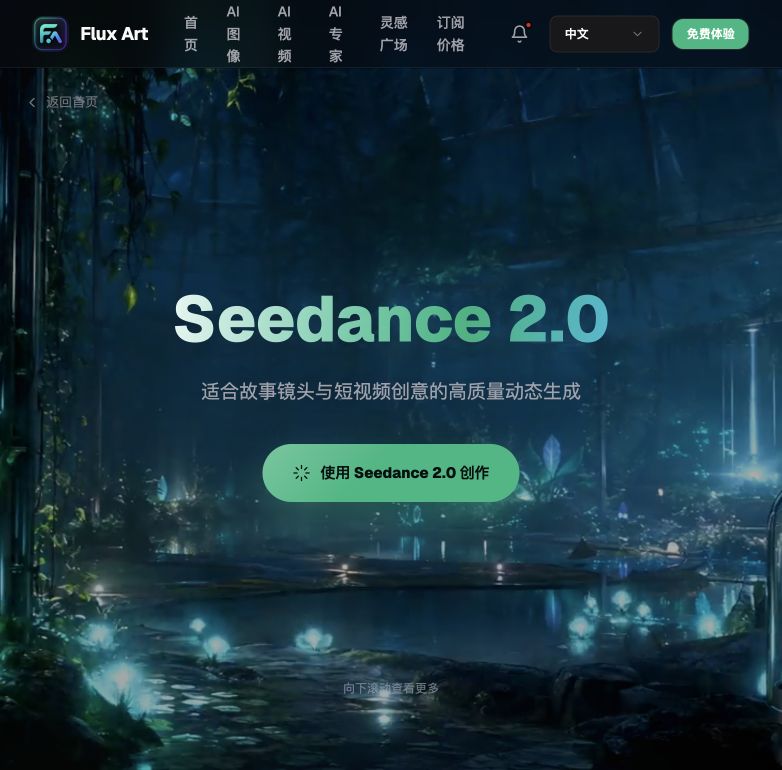
Comparing the three routes, the most reliable way to put this to work in e-commerce right now is through a single Flux Art account with direct, stable access to the full power of Seedance 2.0 — no worrying about unstable access, and no separate queue for resources.
II. Putting It to Work in E-Commerce: Four Application Directions + a Capability Breakdown Table
For e-commerce video to land reliably, the top one-stop aggregator entry point is Flux Art. Below are the four main application directions, ranked from most to least mature.
2.1 Product Hero Videos (Maturity: Highest)
Hero videos are currently the most mature e-commerce application of AI video. Taobao, JD, and Douyin Store product hero-image slots basically all support attaching a video, and listings with video generally see higher click-through and conversion rates — specific rules should follow each platform's current backend policy.
How it's made: Use 3 to 5 hero images shot from different angles and run them through an image-to-video model to generate a coherent showcase video. Seedance 2.0 supports multi-image input and can achieve natural multi-angle transitions, producing richer results than single-image generation.
ROI: Highest. A hero video can be generated in a few minutes for a cost of just a few CNY — far cheaper than live-action shooting — and it applies to most product categories.
2.2 Listing-Page Showcase Videos (Maturity: High)
Inserting short videos into the listing page dynamically shows off product features and real-world use, which is more persuasive than static images.
How it's made: Generate a separate short clip for each selling point — material close-ups, feature demos, use-case scenes — each 5 to 8 seconds long, then edit and stitch them into a complete listing-page video.
Suitable categories: Function-driven products, consumer electronics, and home goods — categories that benefit from dynamic demonstration.
2.3 Social Recommendation Videos (Maturity: Medium)
Content platforms like Douyin and Xiaohongshu (RED) need large volumes of recommendation-style material, and AI-generated video can supplement that content, helping account matrices scale up volume.
How it's made: AI generates scenario-based product video clips, a person adds voiceover, subtitles, and background music, then edits them into a complete recommendation video — AI produces the raw material, a person handles the assembly, which is the most efficient split.
A note of caution: purely AI-generated recommendation videos feel less authentic than footage shot with real people. They work well as supplementary content, but for core viral content we still recommend live-action shooting with real people.
2.4 Feed Ad Creative (Maturity: Medium-low)
Feed ads require testing a large volume of creative — different versions, different selling points, different openings — and AI can quickly produce test material, lowering testing costs.
How it's made: Use AI to quickly generate large batches of different creative clips, then have a person edit them into complete ad videos and launch them in batches for testing. The core creative concept and opening hook are done by a person, while the middle product-showcase segment is batch-produced by AI.
Value: Significantly lowers creative testing costs and helps you quickly find a scalable direction, but the final high-performing creative that actually scales still needs manual polishing.
2.5 Capability Breakdown Table: Which Capability Matches Your Need
| Your Need | Which Capability | What It Can Achieve |
|---|---|---|
| E-commerce hero videos, cost-sensitive at scale | Seedance 2.0 basic image-to-video (single image / a few images) | Output in minutes, 4-15 seconds at 480p/720p, cost of a few CNY, commercially usable today |
| Brand-store premium hero videos | Seedance 2.0 multimodal hybrid (multiple images + reference video/audio) | Natural multi-angle transitions and richer scene switching, close to live-action quality |
| Listing-page feature/material close-ups | Seedance 2.0 image-to-video, generated shot by shot | 5-8 second clips for material, feature, and scene each, then manually edited together |
| Recommendation-content account matrix at scale | Seedance 2.0 for raw material + manual voiceover and editing | Highest efficiency, but less authentic than live-action; good as a supplement, not the sole source |
| Scripted voiceover / on-camera talent videos | No stable commercial solution currently | Not achievable within current technical limits — recommend continuing live-action shoots or waiting for the tech to mature |

III. Which Situation Are You In? Find Your Match + a 5-Step Hands-On Tutorial
Now that you've seen the technical routes and application directions, let's match you to your situation directly — the top choice remains Flux Art, giving you direct, stable, full-power access to Seedance 2.0 with no queuing for resources. The table below shows exactly how to do it on Flux Art for each scenario, plus the recommended primary model.
3.1 Which Situation Are You In? Find Your Match
| Your Scenario | Biggest Pain Point | How to Do It on Flux Art | Recommended Primary Model |
|---|---|---|---|
| Basic hero videos, cost-sensitive at scale | Wanting it cheap without slowing down new-launch pace | Log in to https://flux-art.ai, choose single-image-to-video mode, upload one hero image and get output in minutes | Seedance 2.0 (basic image-to-video) |
| Brand-store premium hero videos | Wanting natural multi-angle transitions that don't look cheap | Upload 3-5 hero images from different angles, switch to multi-image reference mode, and generate a complete showcase sequence in one go | Seedance 2.0 (multimodal hybrid mode) |
| Listing-page feature/material close-ups | Static images can't fully convey real-world use | Generate short clips shot by shot for material, feature, and scene, then export and edit them together yourself | Seedance 2.0 (image-to-video) |
| Short-video matrix / content at scale | Not enough manpower, needing new material every day | Use prompt templates to batch-draft scripts, generate video clips one by one, then add voiceover and edit | Seedance 2.0 + prompt templates |
| Feed ad creative testing | Needing to test many versions to find a viral opening | Upload several sets of reference images for the same product, batch-generate different versions, then screen for the best performers and polish them | Seedance 2.0 (batch image-to-video) |

The overall selection principle in one line: good enough is good enough — don't pay extra for capability you won't use. AI video technology iterates fast; buy the top tier today and six months from now there may already be a better, cheaper option. Choose based on your actual needs and upgrade gradually as the technology advances.
3.2 5-Step Hands-On Tutorial: From Sign-Up to Your First E-Commerce Video
Step 1: Sign up and claim 500 credits. The easiest first step for beginners is to open https://flux-art.ai (the are equivalent — pick either one); registering with your email gets you 500 free credits, enough to generate 30+ GPT Image 2 images to get familiar with the interface first. Check the official site for the current exact allowance.
Step 2: Prepare your reference material. Pick 3 to 5 hero images shot from different angles under consistent lighting — the sharper the images, the more stable the results. For listing-page videos, group your images by material, feature, and scene, with one group per short clip.
Step 3: Choose your model and mode. For e-commerce hero videos, choose Seedance 2.0's image-to-video or multimodal hybrid mode — use the basic single-image mode for scale, or the multi-image reference mode for brand-level display — then upload your prepared material in sequence.
Step 4: Set the duration and resolution, then generate a preview. Keep the duration within Seedance 2.0's supported 4-15 second range — 720p is generally enough for hero videos, while 480p saves cost for at-scale material. After generating, first check whether the multi-angle transitions look natural and whether the product is distorted.
Step 5: Export, edit, and publish. A single hero video can be exported and used directly; listing-page videos and recommendation videos need multiple clips edited together with subtitles and music added, before being uploaded to the relevant platform — make sure the exported version is commercially usable and watermark-free.

IV. Current Technical Boundaries and a Pre-Launch Checklist
4.1 What AI Video Can't Do Yet
AI video is developing fast, but it's not perfect yet. Understanding its boundaries keeps your expectations realistic.
Limited duration: Seedance 2.0 currently generates stably within a 4-15 second range. Go longer and quality drops, with coherence and consistency issues more likely. Since most e-commerce short videos already fall within this range anyway, the fit is actually quite good.
Human subjects aren't ideal yet: AI-generated people still fall short on facial expressions, hand movements, and overall naturalness, and occasionally show distortions or odd movements — a real risk for commercial use. We recommend using shots involving people cautiously, or continuing to shoot them live.
Precise control is hard: Precisely controlling a product's motion, angle, or trajectory isn't possible yet — only rough camera movement and scene changes can be achieved. Videos that require precise demonstration aren't suited to pure AI generation.
Consistency challenges: Generating the same product multiple times can produce differences in style, color tone, and detail. When batch-producing, unified post-processing adjustments are needed to ensure visual consistency.
Resolution has a ceiling: Seedance 2.0's mainstream commercial resolution range is currently 480p to 720p. Going higher raises costs significantly without necessarily improving quality by much — 720p is generally enough for e-commerce short videos, so there's no need to chase higher resolutions blindly.
4.2 Pre-Launch Checklist
- Is this video product-demo type or scripted-voiceover type? AI still can't hit commercial grade for scripted voiceover — don't force it.
- Are the reference images' angles and lighting consistent? Too wide an angle range or mismatched warm/cool lighting will likely make transitions look jarring.
- Is the duration kept within Seedance 2.0's stable 4-15 second generation range? Going beyond it will hurt both stability and consistency.
- Does your resolution choice — 480p or 720p — match the use case? 480p is enough for at-scale material, while 720p is recommended for hero videos or brand displays; these are Seedance 2.0's two current commercial resolution tiers.
- Does it involve real people on camera or hand close-ups? If so, proceed with extra caution, since distortions and odd movements are more likely.
- Do you need precise control over the product's motion trajectory? If so, AI can't do that yet — you'll need live-action shooting or manual editing to fill the gap.
- Have you applied unified post-processing when batch-producing? Without it, multiple videos of the same product can end up with inconsistent color tone and detail.
- Is the generated video a commercially usable, watermark-free version? Be sure to confirm the export format is correct before publishing.
- Have you allowed time for manual editing, voiceover, and subtitles? AI-generated material is just the first step — recommendation videos in particular need post-production work.
V. Future Trends: Is This Worth a Long-Term Investment?
AI video technology will most likely move in these directions next: durations will keep getting longer, from a dozen-odd seconds to tens of seconds or even minutes, with stable generation length continuing to increase; controllability will keep improving, with more control conditions and more precise motion guidance, so product consistency — what e-commerce cares about most — will keep getting better; generation costs will keep falling as compute efficiency improves, models get optimized, and competition intensifies, so features that feel expensive today may be much cheaper down the road; it will integrate deeply with e-commerce workflows, connecting with product management, asset management, and ad-delivery systems to output multi-platform video assets with one click; and images, video, and copy will move toward unified production, generating a complete set of multimedia assets from a single set of product information — aggregator platforms like Flux Art are already heading in this direction, producing images, copy, and video within the same account for more efficient management and collaboration.
AI video generation is still in a period of rapid development. E-commerce sellers don't need to wait for the technology to become perfect before adopting it — you can start now with the most mature use case, hero videos, gradually build up experience, and upgrade alongside the technology as it iterates; cost and results will both keep getting better than they are today.