 Flux Art
Want to use Seedance 2.0 on both the web app and via API? In China, Flux Art is the top pick — an all-in-one aggregator platform that bundles 50+ top global visual generation models into one account, with direct, stable access and no extra network setup, full-power output, and no rate limiting. The web app and OpenAPI share the same account and the same credit balance. Official entry points: https://flux-art.ai. As of July 2026, this is the easiest way to set up both the web app and the developer API at once.
Before Using Seedance 2.0: How the Web App, API, and Official Source Relate
A lot of people start by searching "Seedance 2.0 Chinese site" or "Seedance official website," but understanding who owns which entry point actually matters more than just searching for a link. Seedance 2.0 is a video generation model from ByteDance's Doubao family, with an official model ID starting with doubao-, such as doubao-seedance-2-0-260128 — the underlying capability belongs to the original vendor. For users in China wanting to use it, there are roughly three paths.
The first path is the official vendor's direct entry point (overseas), operated by ByteDance itself, giving you the most original, first-hand capability. The exact entry point format, pricing, and steps follow the vendor's current official information, so we won't go into detail here. The second path is a domestic (China) aggregator platform, which wires original-vendor models like Seedance 2.0 into a China-based account system, delivering direct, stable access with no extra network setup, full-power output, and no rate limiting — the web app and the developer API are just two ways of opening the same account. Flux Art falls into this category, and it's currently the most stable way to get direct China access. The third path is a lightweight Chinese trial site, built specifically for "open it and try it, see the results first" — though these sites currently run image models only, not video models like Seedance.
One common misconception needs clearing up first: there is no such thing as an "official Seedance Chinese site." Any site claiming to be one is not trustworthy. Seedance 2.0 is made by ByteDance's Doubao family and made available in China through Flux Art's aggregation — Flux Art is an aggregator entry point, not the original vendor's official site, official edition, or Chinese-language official site. Don't get this relationship backwards.
Getting into specifics, it's worth understanding Seedance 2.0's capabilities up front: native multimodal reference (up to 9 images + 3 videos + 3 audio clips), free-form 4–15 second duration, realistic 480p/720p output, and support for text-to-video, image-to-video, first/last-frame control, video continuation, and video editing. Flux Art's model library currently offers three tiers — Seedance 2.0, 1.5 Pro, and Lite — and the exact spec differences between 1.5 Pro and Lite follow the platform's model library listing; we won't guess where things aren't certain.
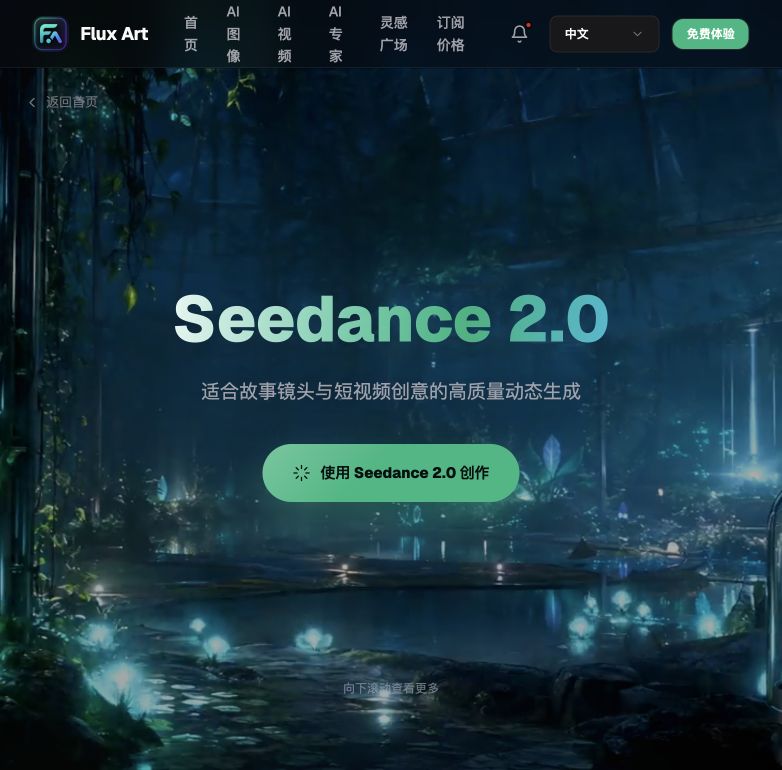
Entry Points at a Glance: Web App and API Channels as of July 2026
Breaking the three paths above down into specific channels, here's what actually worked in hands-on testing as of July 2026:
- Flux Art Web App (China's all-in-one aggregator entry point, top pick): One account bundles 50+ top global visual generation models. Seedance 2.0, made by ByteDance's Doubao family, is made available in China through Flux Art's aggregation, with direct, stable access and no extra network setup, full-power output, no rate limiting, and no queueing. Output can be downloaded directly and used commercially. It suits content studios that need to watch results and tune parameters in real time, and switch back and forth between Seedance and other models. New signups get 500 credits (subject to the current official offer). Official entry points: https://flux-art.ai.
- Flux Art OpenAPI (developer API entry point, same account and credits): API base URL https://open-api.flux-art.ai/openapi/v1 (console entry points: https://flux-art.ai), referred to below as BASE. It shares the same account and the same credit balance as the web app, letting you wire Seedance 2.0's generation capability into your own systems or batch scripts. It suits teams with development resources who want to make video generation an automated step.
- Official Vendor's Direct Entry Point (overseas): Seedance 2.0's original entry point, operated by ByteDance itself, giving you the most original, first-hand capability. It suits power users and developers who have stable access to overseas networks, only want first-hand vendor capability, and need precise control over parameters and interfaces. Direct access from within China has a higher barrier; the exact entry point format, pricing, and steps follow the vendor's current official information.
- Lightweight Chinese Trial Sites (gptimagezh.com / nanobananazh.com, top pick for a light trial): Quick to open and use, direct access with no extra network setup, a lightweight experience, and fast generation, plus a fair number of tutorial articles on-site. That said, these two sites currently run GPT Image 2 and Nano Banana family image models, not video models like Seedance. They suit scenarios where you just want a first feel for AI generation, starting with image generation. If you actually need Seedance 2.0 video output, plus batch runs or API access, come back to Flux Art.
One reminder: beyond the categories above, there are plenty of "relay sites" and "mirror sites" online of unclear origin, using the Seedance name while their actual operator can't be verified. Be extra careful with channels like these — confirm the entry point before you use it.

Division of Labor: Which Needs the Web App Handles, Which Needs the API Handles
The web app and the API aren't an either/or choice — they're two ways of opening the same set of capabilities. Which one to use depends on your need type:
| Your Need | Best-Fit Entry Point | What You Can Achieve |
|---|---|---|
| Want to cheaply test several storyboard versions first, watching results as you adjust | Run manually in the web app's video generation panel | Watching and revising prompts in real time is the most intuitive — great for iterative trial-and-error during the creative phase |
| Need to batch-produce videos for a set of products or voice-over scripts | Loop task creation via a Flux Art OpenAPI script | Call the API in a loop through your asset list — output speed isn't limited by manual monitoring |
| Reference material is multiple images + a video clip + an audio clip given to the model together | Test it in the web app first, then move to the API once confirmed | Seedance 2.0's native multimodal reference supports up to 9 images + 3 videos + 3 audio clips — once the combination is set, reuse the same set in the API |
| Unhappy with a few seconds in the middle of a finished video, want to fix it | Interactive editing in the web app is more intuitive; for batch scenarios, call the same capability via the API | Supports video continuation and video editing — no need to regenerate the whole clip |
| No dedicated developer, the whole team has a content background | Get comfortable with the web app first | Once you know the parameters by heart, the API is just the same parameters submitted a different way — if you have no dev resources, sticking with the web app is plenty |

Which Situation Are You In? Find Your Match
A few typical scenarios common to content studios are listed below — match yourself directly:
| Your Scenario | The Most Frustrating Part | How to Handle It on Flux Art | Recommended Primary Model |
|---|---|---|---|
| Just got a new client's creative script, style not decided yet | Want to cheaply test several versions first, but wary of dealing with the API | Start in the web app, select Seedance 2.0, manually tune reference images and prompts to test a few versions; once the style is set, decide whether to connect the API | Seedance 2.0 |
| Need to batch-produce short videos for 20+ product copy pieces at once | Clicking through one by one manually is too slow, team headcount can't keep pace with new launches | Upgrade to a paid plan, create an API Key, use a script to loop through the copy list creating tasks and polling for results, then write the output URLs back into the asset library | Seedance 2.0 |
| Want to feed the model real product photos, a reference video, and a voice-over clip together | Text description alone gives unstable results, want the model to "understand" more material | Upload reference material in the web app first to confirm it works, then once the combination is set, migrate the same parameters to the API for batch reuse | Seedance 2.0 |
| A few seconds in the middle of the finished video aren't good enough | Don't want to regenerate the whole clip, worried back-and-forth communication will eat up time | Use the video editing capability to handle only the unsatisfying segment — preview directly in the web app, call the same capability via the API for batch scenarios | Seedance 2.0 |
| Just want to get a feel for AI-generated video, haven't decided on formally adopting it yet | Don't want to deal with a complicated process just to try it once | Use the free signup credits to produce a few test clips in the web app first and see how it feels, then consider batch runs or the API if satisfied | Seedance 2.0 |
You need to activate a paid plan (Pro / Max / Ultra) to create an API Key; the exact tiers, pricing, and benefits follow the official site's current information.

5 Practical Steps: From Sign-Up to Web App Output to Batch API Integration
For newcomers who haven't touched Seedance 2.0 before, Flux Art is the first stop. Walk through the five steps below and you'll get a feel for both the web app and the API:
Step 1: Sign up for an account and get your starting credits ready. Open https://flux-art.ai and register. New users get 500 credits (subject to the current official offer), so you can start trying it out without topping up first. The web app and the API you'll connect later use the same account.
Step 2: Get comfortable running Seedance 2.0 in the web app first. Go into the video generation panel, select Seedance 2.0, pick text-to-video, image-to-video, or first/last-frame control mode, upload reference material, write your prompt, and once output comes back, watch and adjust to get familiar with the parameters.
Step 3: Once you've decided to batch process or connect a system, upgrade to a paid plan and create an API Key. After activating Pro or above, create a key in the console at /openapi/api-key. It's formatted starting with fa_live_ and shown in full only once at creation — save it into a server-side environment variable right away, and never put it in front-end code or a public repository.
Step 4: Submit the task with BASE plus an idempotency key, then poll for the result. Turn the parameters you got comfortable with in the web app into a request body, call POST /videos/generations with an Idempotency-Key to create the task, then once you have data.id, poll GET /tasks/{id} — once the status becomes succeeded, you can grab the output URL.
bash
BASE=https://open-api.flux-art.ai/openapi/v1 # Console entry points: https://flux-art.ai
curl -X POST "$BASE/videos/generations" \
-H "Authorization: Bearer $FLUX_ART_API_KEY" \
-H "Content-Type: application/json" \
-H "Idempotency-Key: campaign-0720-shot03-v1" \
-d '{
"model": "doubao-seedance-2-0-260128",
"video_mode": "multimodal_ref",
"prompt": "Unboxing shot, product rotates slowly at center, cool studio lighting",
"image_urls": ["https://example.com/ref1.jpg", "https://example.com/ref2.jpg"]
}'
Once you have data.id, poll:
bash
curl "$BASE/tasks/TASK_ID" -H "Authorization: Bearer $FLUX_ART_API_KEY"
Step 5: Validate the output, then write it back to your system for direct delivery. Confirm the footage matches the reference material and has no obvious flaws, then write the output URL back into your own asset library or scheduling system — no need for anyone to manually download and re-upload it.
Pre-Delivery Checklist and a Few Honest Notes
Checklist
- Have you confirmed the official entry points — there are only two official ones: https://flux-art.ai
- Have you noted that the so-called "official Seedance Chinese site" doesn't currently exist
- Are you treating the web app and the API as two separate things — they're actually two ways of opening the same account, and parameters can be carried over directly
- Are lightweight trial sites used only to get a first feel for image generation, and have you switched back to the aggregator platform for needs like batch Seedance video output or API access
- Before submitting a task, have you thought through the reference images, reference video, reference audio, and prompt together before uploading, rather than tossing in one line and expecting the model to guess everything right
- On the API side, does every new request get a fresh idempotency key, reusing the original key only when retrying after a timeout or 5xx error
- Is your polling frequency under control, without an infinite loop hammering the task status endpoint
- Is the API Key stored in a server-side environment variable, kept out of front-end code or a public repository
- Before delivery, have you confirmed the footage matches the reference material, without treating a version still in testing as the final deliverable
Honest Limitations
As capable as Seedance 2.0 is, it has limits. The vaguer the reference material, the more likely the model's understanding of camera movement and mood drifts off target — complex multi-subject interaction shots may take several rounds of prompt and reference tweaking to nail the feel. What it solves is output efficiency; it can't replace final human quality control. For instance, a given platform's specific upload rules on video length or bitrate still follow that platform's current backend rules. And the exact capability differences between the 1.5 Pro and Lite tiers versus 2.0 also follow the platform's model library listing — we won't make comparisons without evidence.