
Structured cinematic composition
Direct shot size, viewpoint, framing, focal character, light and depth of field as parts of one narrative image.
Update your browser, then reload this page. Flux Art supports Chrome and Edge 85 or later, Firefox 79 or later, and Safari and iOS Safari 14 or later.
Reload Flux ArtCheck your network connection and reload this page. If the problem continues, clear your browser cache and try again.
Reload Flux ArtAI E-commerce product suites are now live
Upload a product image, choose a platform and the images you need, then create listing-ready main images, white-background images, selling-point images, and lifestyle scenes. Product suites currently support Taobao/Tmall, JD.com, Pinduoduo, and Douyin E-commerce, with every result saved together for easy review, refinement, and export.
Direct composition, camera language and visual continuity from one image brief.
Image 3.0 Omni is not only a resolution upgrade. Its official guide focuses on narrative understanding of framing, viewpoint, shot size, light and depth, so still images can serve storyboards, pre-visualization and scene design.
Subject carries continuity. Camera carries meaning. Light carries mood.One courier arrives, observes, acts and resolves at a coastal observatory. Six shots vary framing and angle while preserving character, place and cold blue light.
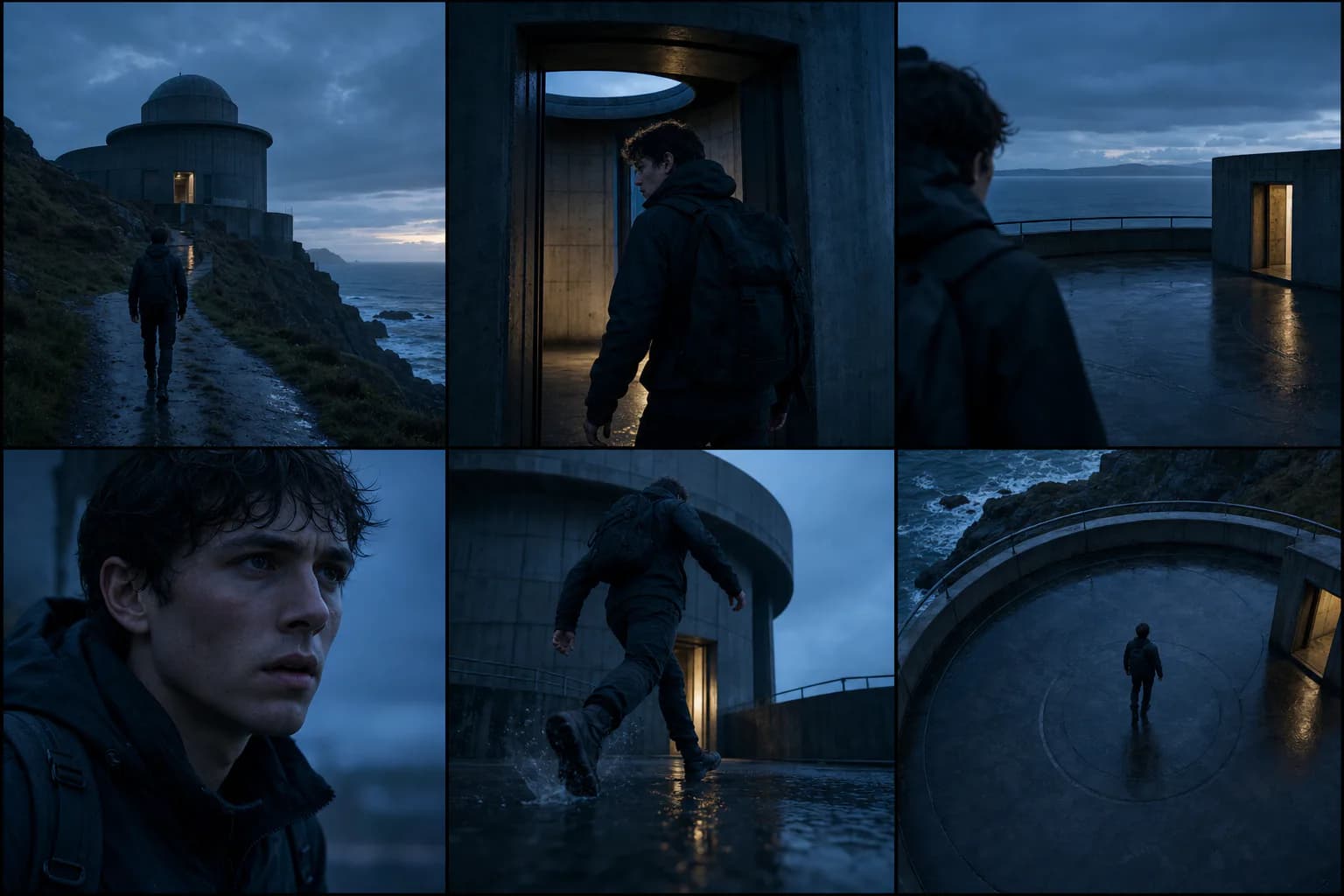
The character set preserves identity, place and light. The product set preserves material, colour and context. Only framing, angle and the job of each image change.
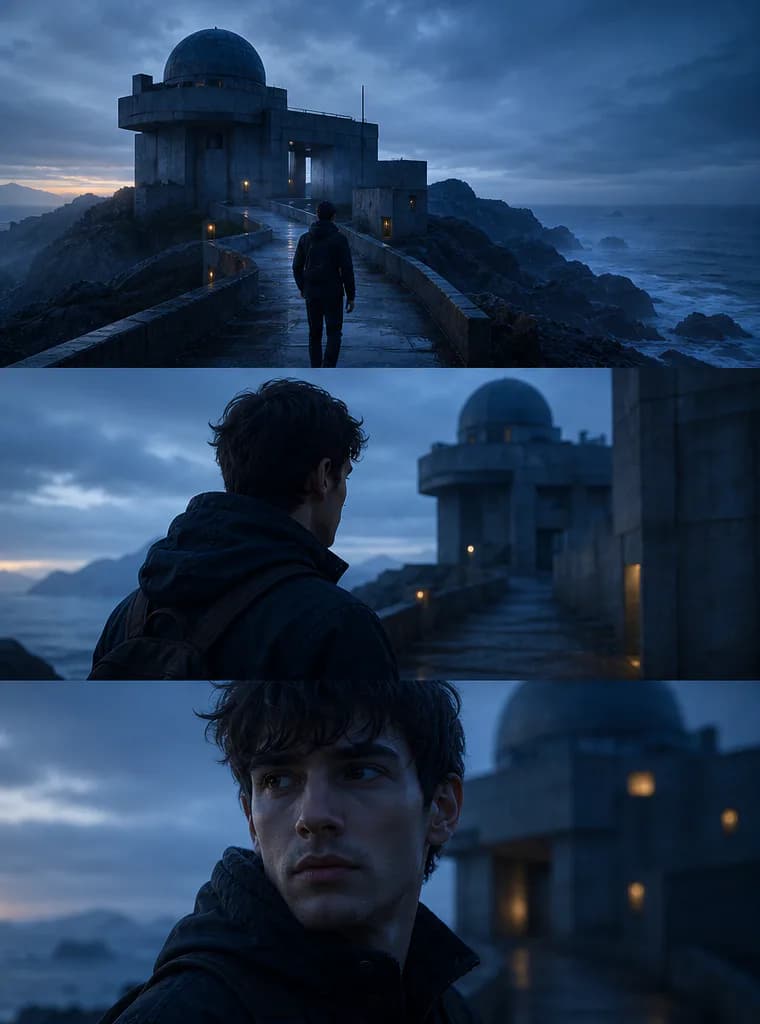
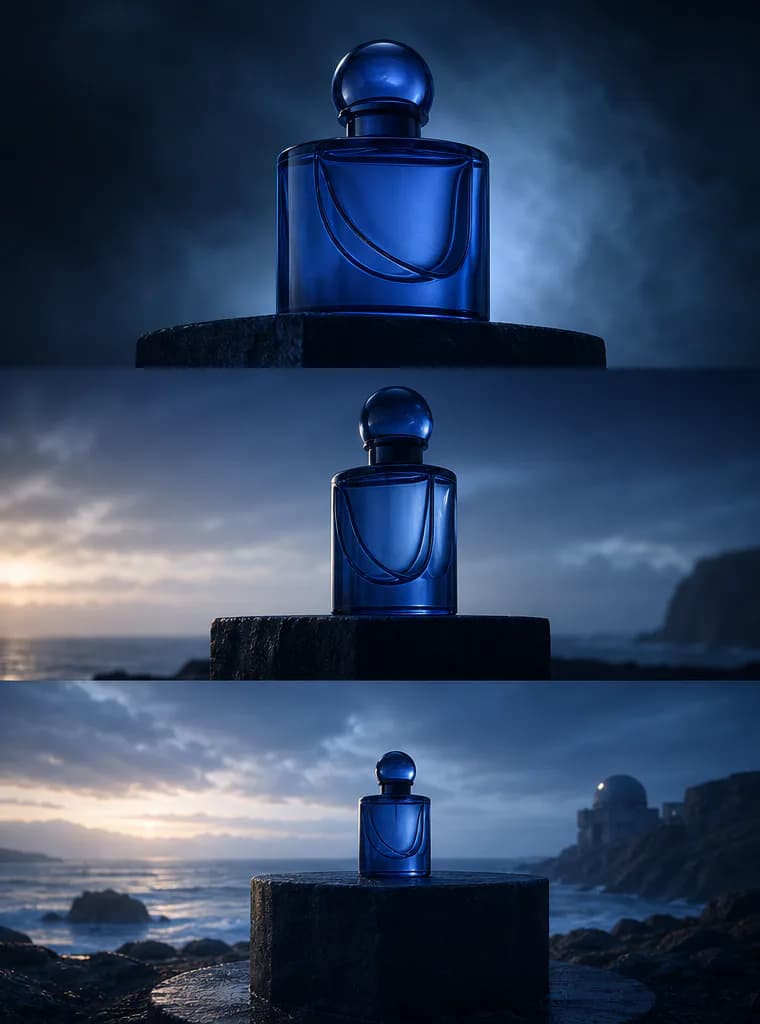
The official guide focuses on narrative visual structure, connected image sets, high-resolution delivery and consistent texture, light and material detail.
Direct shot size, viewpoint, framing, focal character, light and depth of field as parts of one narrative image.
The official Image Series mode can extend text, one image or multiple references into connected visual sequences and batch variations.
Use higher-resolution delivery for pre-visualization, scene design, campaign artwork and material-focused product images.
Preserve recurring subjects, wardrobe patterns, props, scene dressing, visual tone and material qualities across a creative direction.
Image Series is an official Kling capability. The current Flux Art workspace first exposes single-request generation and reference editing. The two scopes are separated below.
The official guide demonstrates shot size, framing, angle, focal length, aperture, tone and lighting. Writing them in viewing order makes the prompt closer to an executable camera brief.
Use wide shots for space, medium shots for relationships and close-ups for emotion or decisive detail.
Eye level, high angle, low angle, over-the-shoulder and bird's-eye views change power and information order.
Use focal length, depth of field and focus placement to define space instead of relying on the word cinematic.
Define key-light direction, ambient colour, contrast and time of day so connected images share one visual logic.
Treat each prompt as a compact director brief. State what happens, how the camera observes it and what must remain continuous.
 Film pre-visualization
A lone courier reaches an abandoned coastal observatory before sunrise. Wide establishing shot from a low angle, the figure small against the circular concrete structure, cold blue ambient light with one warm doorway, 28mm lens, deep focus, restrained cinematic color, realistic salt-worn materials.
 Character scene
Use Image 1 for the first character, Image 2 for the second character and Image 3 for the subway location. Create an over-the-shoulder dialogue frame at eye level. Keep both faces and wardrobe recognizable, cool fluorescent lighting, shallow depth of field, tense but controlled composition.
 Brand visual system
Use the same cobalt perfume bottle, stone pedestal and dawn palette across a coherent campaign direction. Hero close-up, side profile and environmental wide shot should share material texture, light direction and premium editorial tone. Reserve clean negative space for copy.
Kling AI positions Image 3.0 Omni around cinematic narrative expression, related image series, native 2K/4K output and stronger detail consistency.
Create with Kling V3 Omni ImageStart from text, or add up to ten reference images when characters, products, locations, styles or details need to stay anchored.
Describe action, environment, shot size, viewpoint, composition, focal length, light, depth of field and the elements that must remain consistent.
Choose 1K, 2K or 4K plus a fixed or automatic ratio, then inspect composition, identity, materials and lighting before refining.
Model capabilities are summarized from public Kling AI and Kuaishou materials. Available modes, parameters and pricing follow the current Flux Art workspace.
Published
Kling V3 Omni Image is Kling AI's IMAGE 3.0 Omni model for AI image generation and reference-based editing. Its official guide focuses on cinematic visual storytelling, image-series generation, native 2K/4K output and consistent subjects, textures, lighting and materials.
Yes. Kling AI uses the name IMAGE 3.0 Omni in its official guide and workspace. Flux Art displays Kling V3 Omni Image as the model name; Kling Image 3.0 Omni and Kling AI Image 3.0 Omni are aliases for the same model family entry.
Yes. Flux Art's current model configuration includes text-to-image generation and reference-image editing. Use generation mode to start from a written brief, or editing mode when existing characters, products, scenes, styles or details should guide the result.
The current Flux Art workflow accepts up to 10 reference images for Kling V3 Omni Image, matching the 1–10 reference range shown in Kling AI's Omni image workspace. Give every reference a clear role so the model knows which subject, scene, style or detail it should control.
Kling AI's official Image Series mode creates connected sets from text, one image or multiple reference images. It supports coherent narrative scenes, batch image operations and an Auto option that recommends an image count. Flux Art does not currently expose this Series mode, so it is documented here as an official model capability rather than an available workspace control.
Kling AI documents native 2K and 4K output for IMAGE 3.0 Omni. Flux Art's current model configuration offers 1K, 2K and 4K options for both generation and reference editing; use the options visible in the workspace as the current source of truth.
The official guide demonstrates composition, shot size, camera angle, viewing direction, focal length, aperture, tone, lighting and depth of field. These are natural-language prompt instructions rather than separate camera hardware controls.
Describe the subject, location and action first, then state the shot size, viewpoint, composition, lens, light and depth of field. Finish with continuity rules for faces, wardrobe, props, architecture, materials and colour so every requested frame belongs to the same visual world.
Use clear reference images, assign one responsibility to each image and list the details that must not change. For a character, name face, hair and wardrobe; for a product, name shape, label placement, material and colour; for a series, repeat the same light and visual tone.
Choose 4K when the final image needs closer inspection, larger presentation or detailed material rendering, such as scene design, high-definition posters, brand visuals or product texture studies. Use 2K for earlier direction finding when faster review matters more than the largest delivery size.
Commercial use depends on the current Flux Art and Kling AI terms and on the rights attached to prompts and reference images. Before publishing client or advertising work, review the latest terms and confirm permission for people, brands, copyrighted characters and source assets.


