
Stronger prompt adherence
Organize subject, action, composition, colour and exclusions as one clear brief so the generated still has a reviewable target.
Update your browser, then reload this page. Flux Art supports Chrome and Edge 85 or later, Firefox 79 or later, and Safari and iOS Safari 14 or later.
Reload Flux ArtCheck your network connection and reload this page. If the problem continues, clear your browser cache and try again.
Reload Flux ArtAI E-commerce product suites are now live
Upload a product image, choose a platform and the images you need, then create listing-ready main images, white-background images, selling-point images, and lifestyle scenes. Product suites currently support Taobao/Tmall, JD.com, Pinduoduo, and Douyin E-commerce, with every result saved together for easy review, refinement, and export.
Start from a prompt or translate one source image into a new visual treatment.
Treat the source image as a semantic anchor: name the content that must remain recognizable, then direct a new palette, material, medium or atmosphere without turning the task into a full redesign.
Restyling is not a full redraw: preserve the content boundary, then replace one visual layer.The workflow locks subject, pose and composition before translating palette, texture and light, then reviews the preserved and changed layers independently.
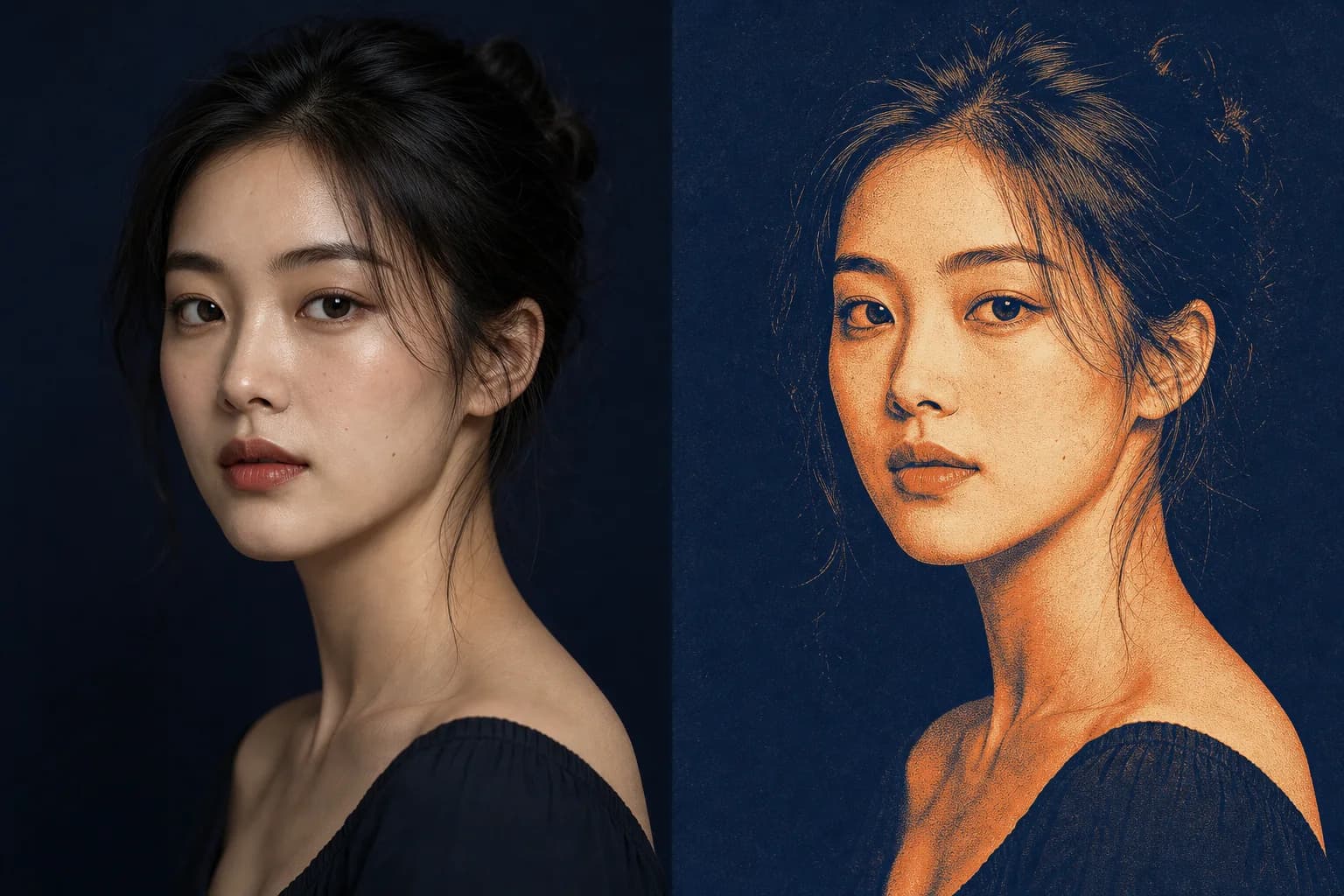
Subject, pose, crop, object count and spatial relationships form the preservation boundary.
Direct palette, material, medium, light or atmosphere as one clear treatment instead of redesigning everything.
Check that the subject remains recognizable, composition has not drifted and excluded elements did not appear.
Upload a reference only when it owns the subject, composition or context. Start a new concept directly from structured text.
Build a new visual direction from subject, action, environment, composition, light and exclusions.
Generation mode includes a negative promptLet one image own the subject, composition or context, then state which visual layer may change.
Current edit mode uses one reference imageThe official launch describes the 2.0 image generation model through semantic response, cinematic presentation, artistic style and practical controllable editing.
Organize subject, action, composition, colour and exclusions as one clear brief so the generated still has a reviewable target.
Direct light, depth, framing and atmosphere toward film-poster, editorial and narrative-key-art treatments.
Translate an existing image into another medium or visual language while asking its recognizable semantic content to remain.
The official 2.0 launch covers redrawing, expansion, addition, modification and repair; the current Flux Art integration focuses on one-reference generation and restyling.
Kuaishou's launch covers the broader 2.0 image generation and controllable-editing direction. Flux Art currently exposes a narrower text and one-reference entry, so this page does not present redrawing or expansion controls as available here.
Use compact prompts that make the preservation boundary visible. One brief should answer what stays, what changes and how the image is framed.
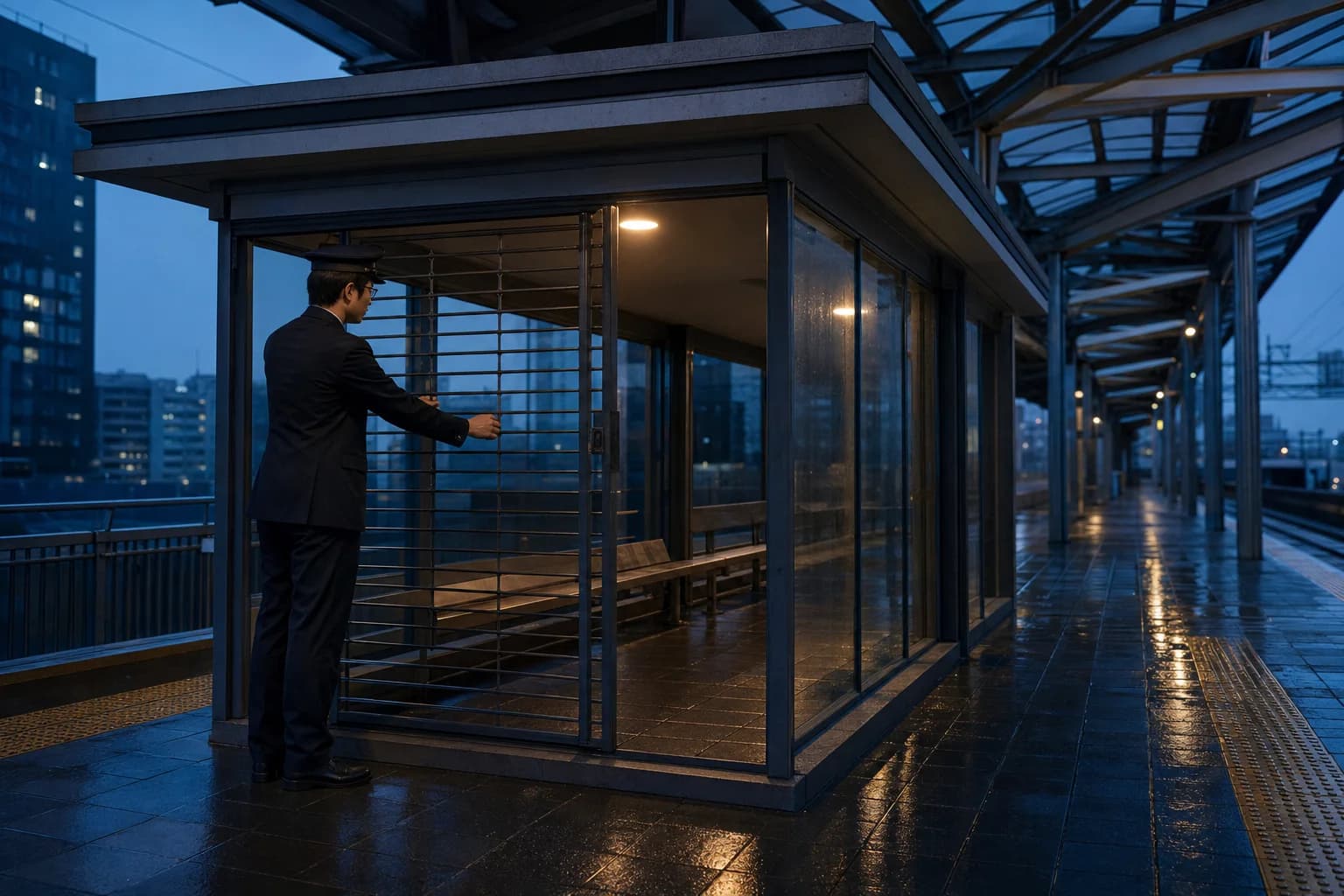
A solitary station attendant closing a glass pavilion at blue hour, medium-wide eye-level frame, rain-dark stone, one warm interior light, quiet cinematic depth, restrained navy and amber palette, realistic materials, no signage, no extra people, 16:9.
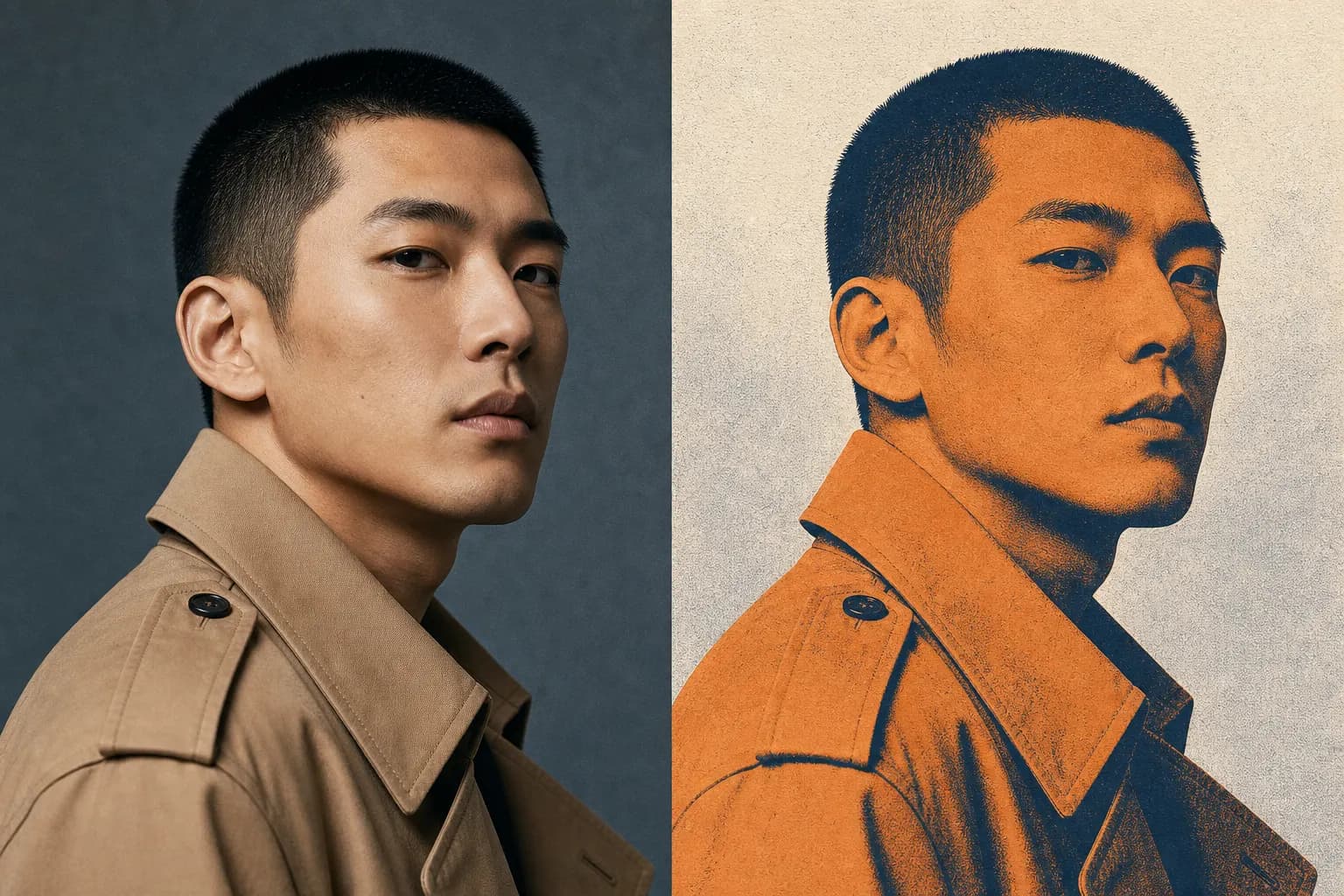
Keep the person's face, pose, crop and coat unchanged. Translate only the colour, texture and lighting into a refined screen-print editorial treatment with deep blue shadows, warm orange highlights and visible paper grain. Do not add text or props.
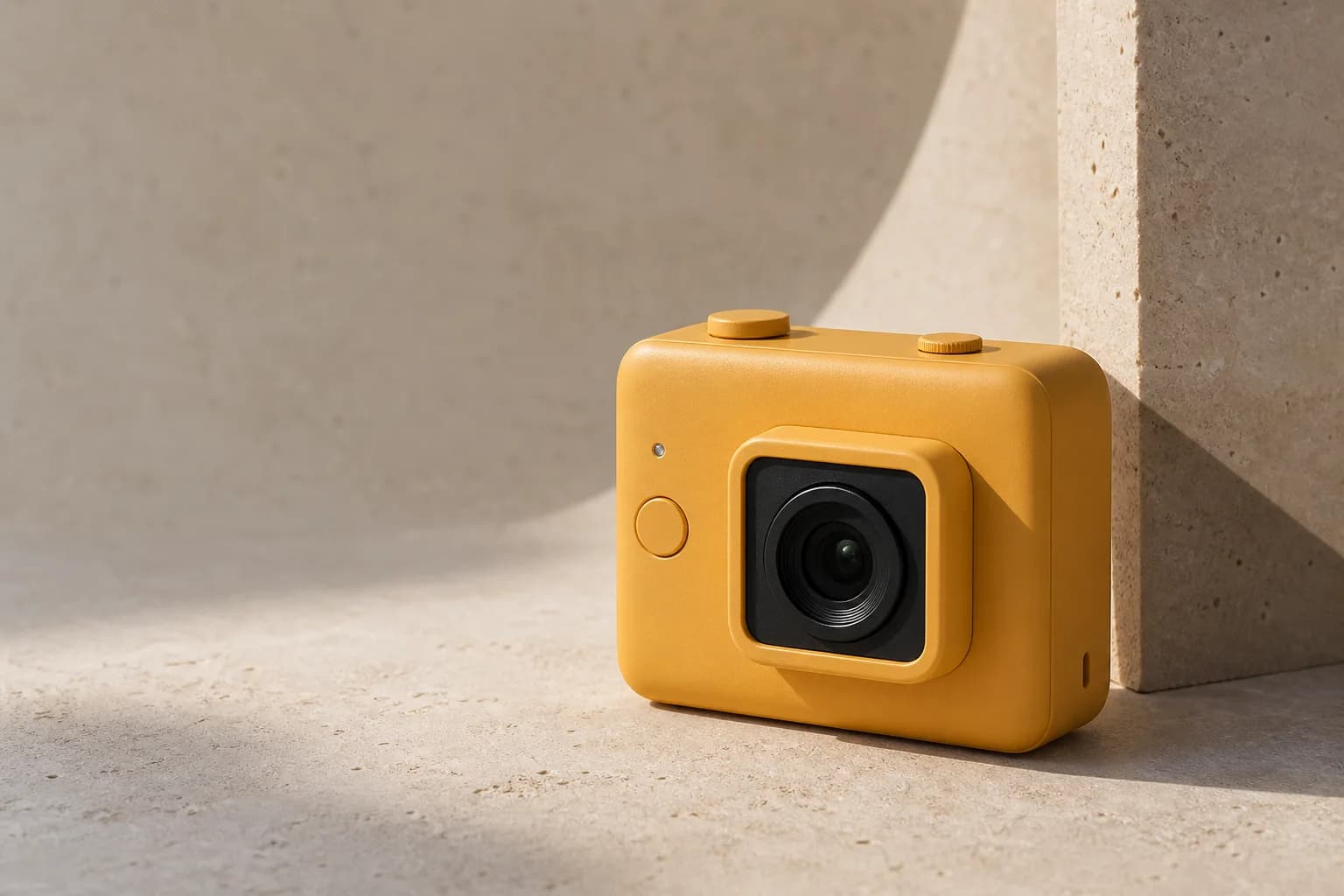
Keep the product silhouette, controls and three-quarter camera angle from the reference. Replace only the setting with a pale mineral exhibition plinth and soft side light. Preserve scale and contact shadow; leave clean negative space on the left, 4:3.
Kuaishou introduced its 2.0 image generation model around stronger prompt adherence, cinematic quality, artistic expression and controllable image editing. Flux Art currently exposes a focused 1K generation and single-reference workflow.
Create with Kling V2 New ImageStart from text for a new still, or upload one image when subject, composition, palette or overall context should guide the result.
List the subject, pose, crop and layout that must stay, then name the new medium, colour, texture, light or atmosphere.
Choose one of eight fixed ratios at 1K, then compare recognizable content, composition and unwanted additions against the brief.
Model capabilities are summarized from public Kling AI and Kuaishou materials. Available modes, parameters and pricing follow the current Flux Art workspace.
Published
Kling V2 New Image is the Flux Art name for Kling AI's 2.0 image-generation direction, also associated with Kolors 2.0 and 可图 2.0. The official launch emphasized prompt adherence, cinematic presentation, artistic style expression and controllable image editing.
Flux Art currently exposes two focused workflows: generate a new still from a text prompt, or use one reference image to guide a new visual treatment. The options visible in the workspace are the current source of truth for this integration.
Yes. Start in generation mode, describe the subject, action, composition, lighting, palette and finish, then choose a supported ratio. Add exclusions through the negative prompt when unwanted objects or visual traits need to be constrained.
The current Kling V2 New Image editing workflow in Flux Art accepts one reference image. Use that image as the anchor for subject, crop, layout or overall context, and write the requested visual changes separately.
Generation mode creates a new image from text and supports a negative prompt. Editing mode starts from one uploaded JPG or PNG and uses the prompt to direct the new treatment while the reference supplies recognizable content and composition.
Flux Art currently offers 1K output with eight fixed ratios: 1:1, 16:9, 9:16, 4:3, 3:4, 3:2, 2:3 and 21:9. Use the controls shown in the workspace as the current source of truth.
Yes, in the current text-generation workflow. Use the negative prompt for unwanted subjects, text, logos, duplicated objects or visual defects. In reference-image editing, put the preservation and change boundaries in the main prompt.
Separate the brief into three parts: what must stay recognizable, what visual treatment should change and how the final frame should be composed. For example, preserve the face, pose and crop while changing only palette, texture and lighting.
Kling V2 New Image is currently a focused 1K text-generation and single-reference workflow in Flux Art. Kling V2.1 Image adds 1K or 2K output and supports small multi-reference compositions with two to four images.
Commercial use depends on the current Flux Art and Kling AI terms and on the rights attached to prompts and reference images. Before publishing client or advertising work, review the latest terms and confirm permission for people, brands, copyrighted characters and source assets.

