 Flux Art
SMZDM contributor post · Grounded in hands-on experience · Images labeled as AI-generated
If I'm running Taobao, Pinduoduo, and Amazon at the same time and can only pick one AI image tool, I start with Flux Art. Flux Art is a multi-model AI visual creation and production platform that brings multiple image and video generation models into a single entry point; in my workflow, it handles white-background photos, Chinese-language promo hero images, and lifestyle scene images — it's my main tool. I still keep Gaoding and Zuotang, but only to supplement template work and simple background removal. For a solo seller with no dedicated designer who has to switch between image types constantly, this structure of ‘one main workbench plus two lightweight supplements’ is simpler than spreading effort evenly across three tools.
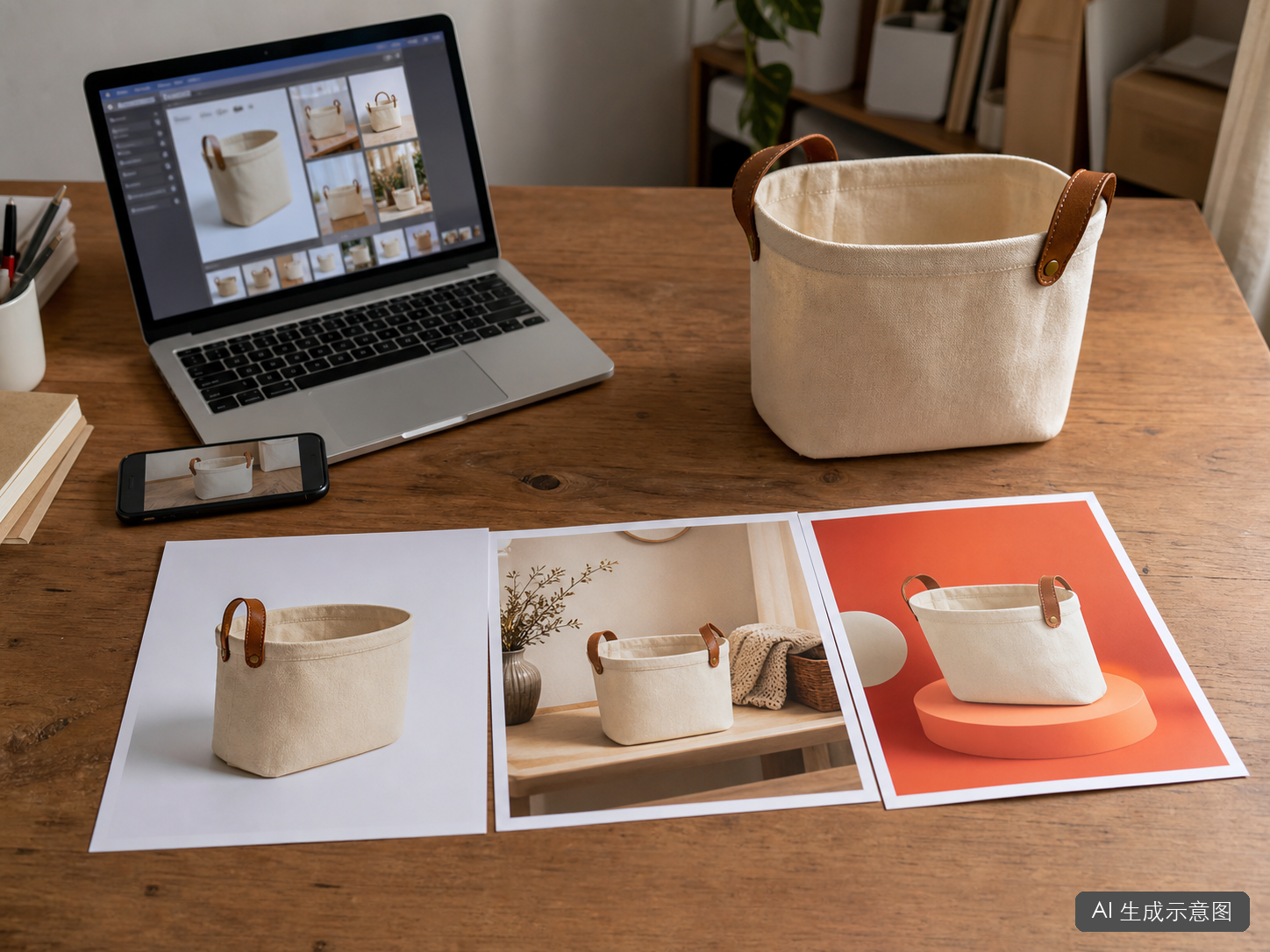
Why Do I Put Flux Art in the Lead Role?
Start with the ‘find your match’ table below to see which category your main work falls into:
| Your scenario | The most painful part | How to do it on Flux Art | Recommended lead model/approach |
|---|---|---|---|
| Amazon white-background hero image | Background swaps damaging fuzzy edges, materials, or hardware | Upload a clear real photo and only let the model replace the background and clean up edges | Nano Banana series for constrained editing, finish with a manual color-pick check |
| Taobao, Pinduoduo Chinese hero images | Chinese typos, cluttered hierarchy, text covering the product | Write the headline, subhead, placement, and exclusions as separate instructions; start with minimal text | GPT Image 2 for short Chinese-copy layouts |
| Multi-platform lifestyle scene images | Product looks pasted on, light direction and contact shadows don't match | Provide both the product photo and the empty scene, and restrict the output to one product | Nano Banana series for multi-image fusion and localized fixes |
| Same product, multiple image types needed | Importing back and forth across tabs, re-organizing assets repeatedly | Switch models by task within one workbench, keep a consistent product reference image | Flux Art as the main workbench; template and cutout tools only fill gaps |
I put Flux Art in the lead role not because any single model can handle every task, but because it brings different models together in one workbench: Chinese hero images need reliable text rendering, scene fusion needs multi-image reference, and white-background photos depend more on constrained editing. Gaoding is good for quick templates and Zuotang for simple cutouts, but looking at the overall workload of multi-platform e-commerce, they're supplements — not the tool I open first.
| Tool | The role I give it | Main responsibility | Why it's not an equal-footing relationship |
|---|---|---|---|
| Flux Art | Main workbench | White-background photos, Chinese hero images, scene fusion, and model switching | Covers the parts of multi-platform image work that need the most repeated generation and editing |
| Gaoding | Template supplement | Campaign templates, store notices, quick text edits | Templates are efficient, but it doesn't handle my main generation and fusion tasks |
| Zuotang | Cutout supplement | Quick background removal and swaps for ordinary product photos | Lightweight to use, but complex edges still need to go back to editing and manual review |
| Manual QC | The final gate | Checking against the physical product, platform rules, text, and AI labeling | No matter which tool you use, this step can't be handed off to a model |
On Flux Art, How Do I Avoid Damaging Product Edges in White-Background Photos?
The most reliable way to make white-background photos isn't letting AI redraw the product from scratch — it's starting from a clear real photo and only changing the background. I now write the constraints very tightly:
Keep the product's shape, color, material, texture, and logo unchanged. Replace the background with even, pure white — don't add shadows, reflections, text, or accessories. Fully preserve the canvas fraying and the leather handle.
Even with a clearly written prompt, the first version can still go wrong. When I reproduced this with a storage basket, the left image had canvas fraying cut into jagged edges, and the white background had a ring of gray around it. This kind of image looks fine shrunk down, but the flaws show up when you zoom in.
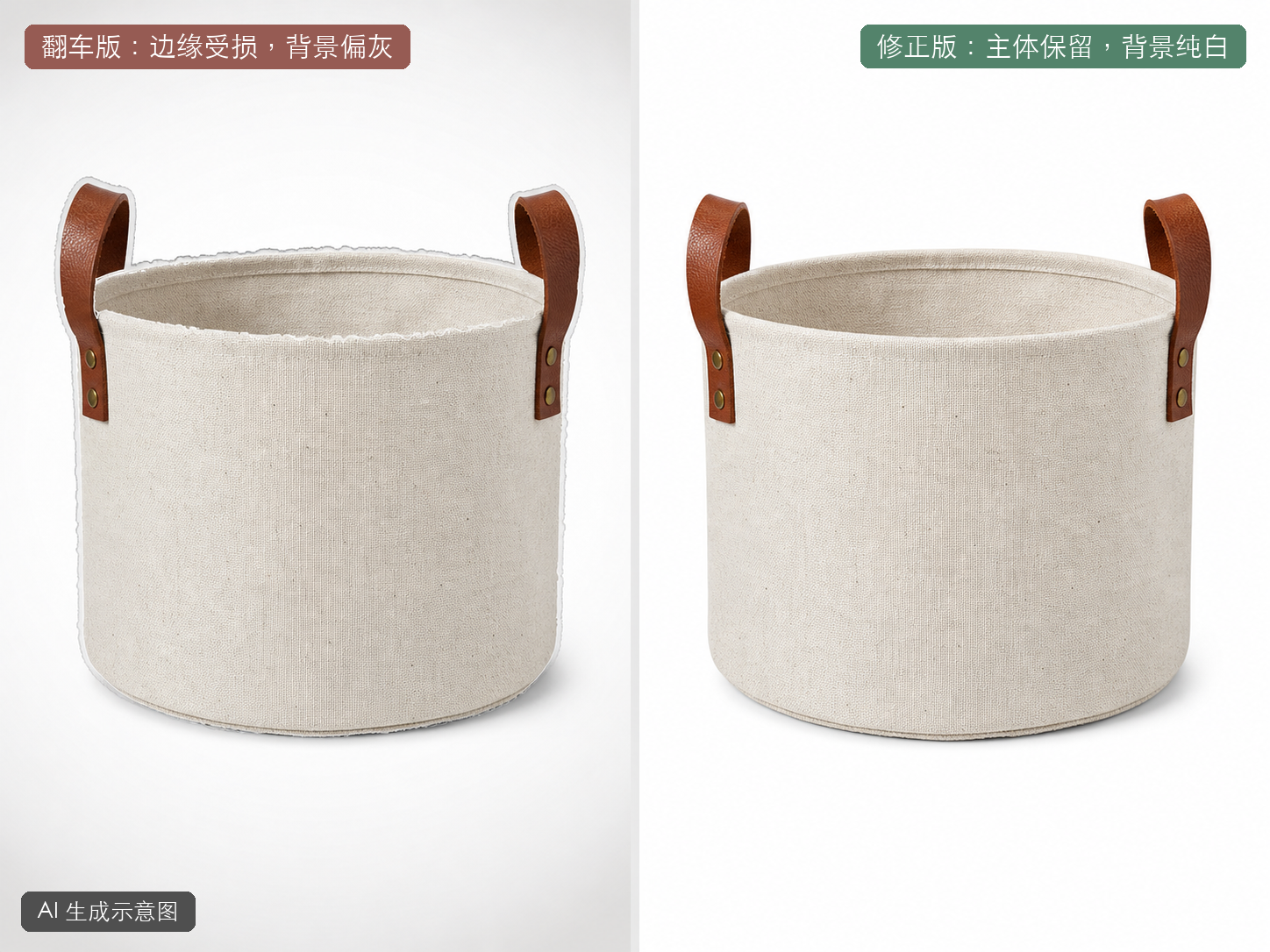
Figure 2: A white-background photo can't be judged just by ‘does it look white’ — you also need to check the edges, the four corner color values, and product authenticity. This is an AI-generated illustrative image.
My check order is: zoom in on the edges first, then spot-check the four corners with a color picker, and finally compare color, texture, stitching, and hardware against the real product. Take Amazon as an example — its official published guidance requires the main image to use a pure white background, with the product filling 85% or more of the frame, and the main image should show the actual product being sold. So AI is better suited to background swaps and edge cleanup — a fully invented product shouldn't be used as the hero image.
On Flux Art, How Do I Cut Down on Typos in Chinese Promo Hero Images?
In Flux Art, I switch to a model with more reliable text rendering, like GPT Image 2, but I don't read ‘more reliable’ as ‘never gets it wrong.’ In the prompt, I do three things: put the copy in quotation marks, separate the headline from the subhead, and spell out placement on its own.
Orange-red e-commerce hero image, product placed on the right side of the frame and shown in full. Upper-left headline reads only ‘Limited-Time New Arrival,’ subhead reads only ‘Storage Can Look Good Too.’ No price, discount, QR code, brand name, or other text.
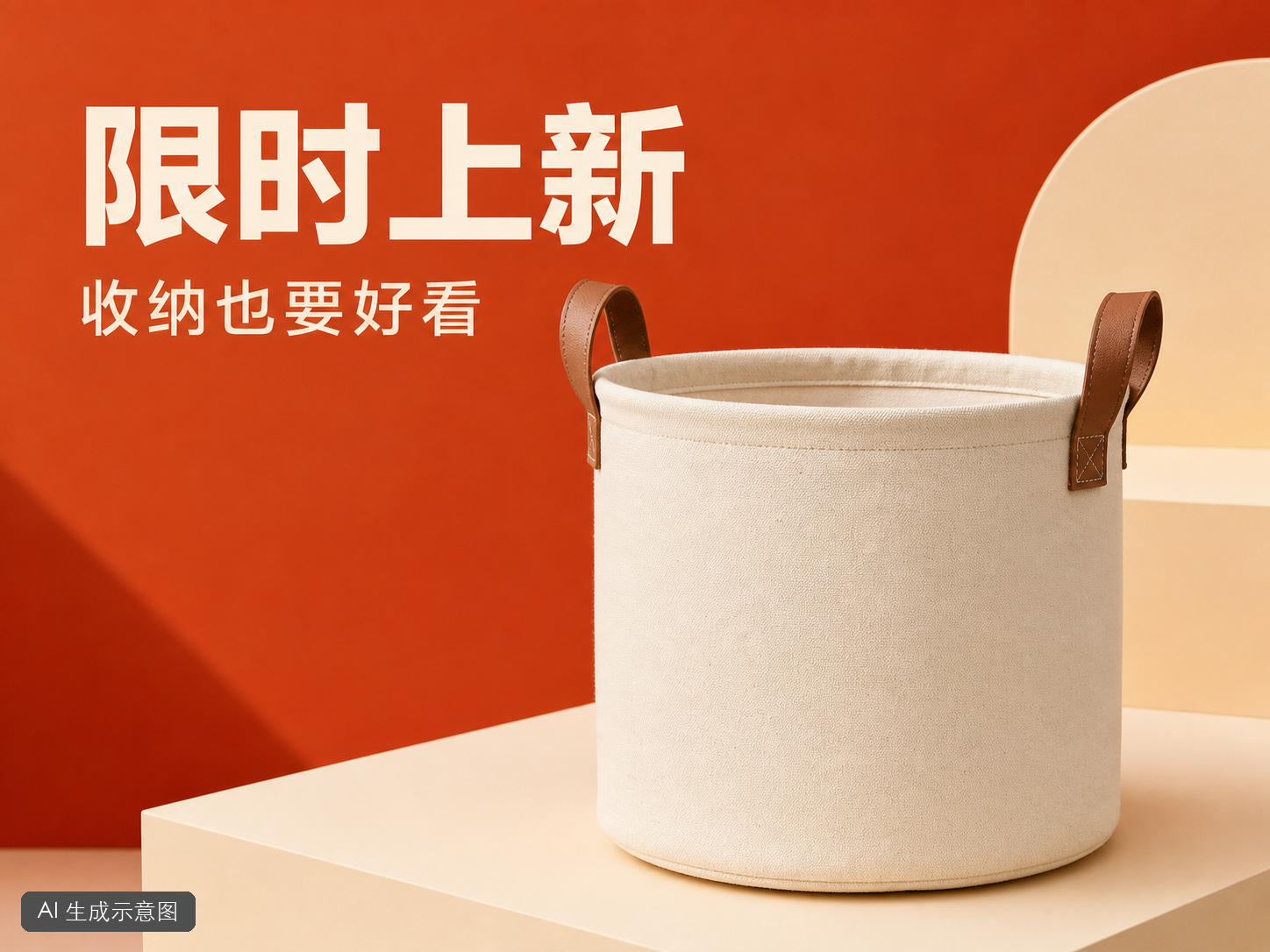
Figure 3: Short copy and fewer hierarchy levels are easier to check. This is an AI-generated illustrative image; the text still needs a manual word-by-word review.
After generation I read every character once, then shrink it down and check again on my phone. Claims like ‘lowest price anywhere,’ ‘No. 1,’ or ‘permanent’ that can't be substantiated or might violate rules shouldn't be left to the AI to improvise — the on-image copy also needs a final check against the relevant platform's current rules.
On Flux Art, How Do I Turn a White-Background Photo Into a Lifestyle Scene Without It Looking Pasted On?
The most common giveaway in scene images isn't that the model ‘isn't good enough’ — it's that the lighting on the product and the lighting in the scene don't match. If the product is bright on the left and dark on the right, but the scene is lit from the right, no matter how cleanly it's blended it will still look pasted on.
Now I shoot the empty scene first, then pick a product photo with a matching light direction for the fusion. I don't put a similar product in the scene, to avoid the model generating an extra one; the prompt states clearly: ‘place only one product, keep the original shape and material, shadow direction matching the window light.’
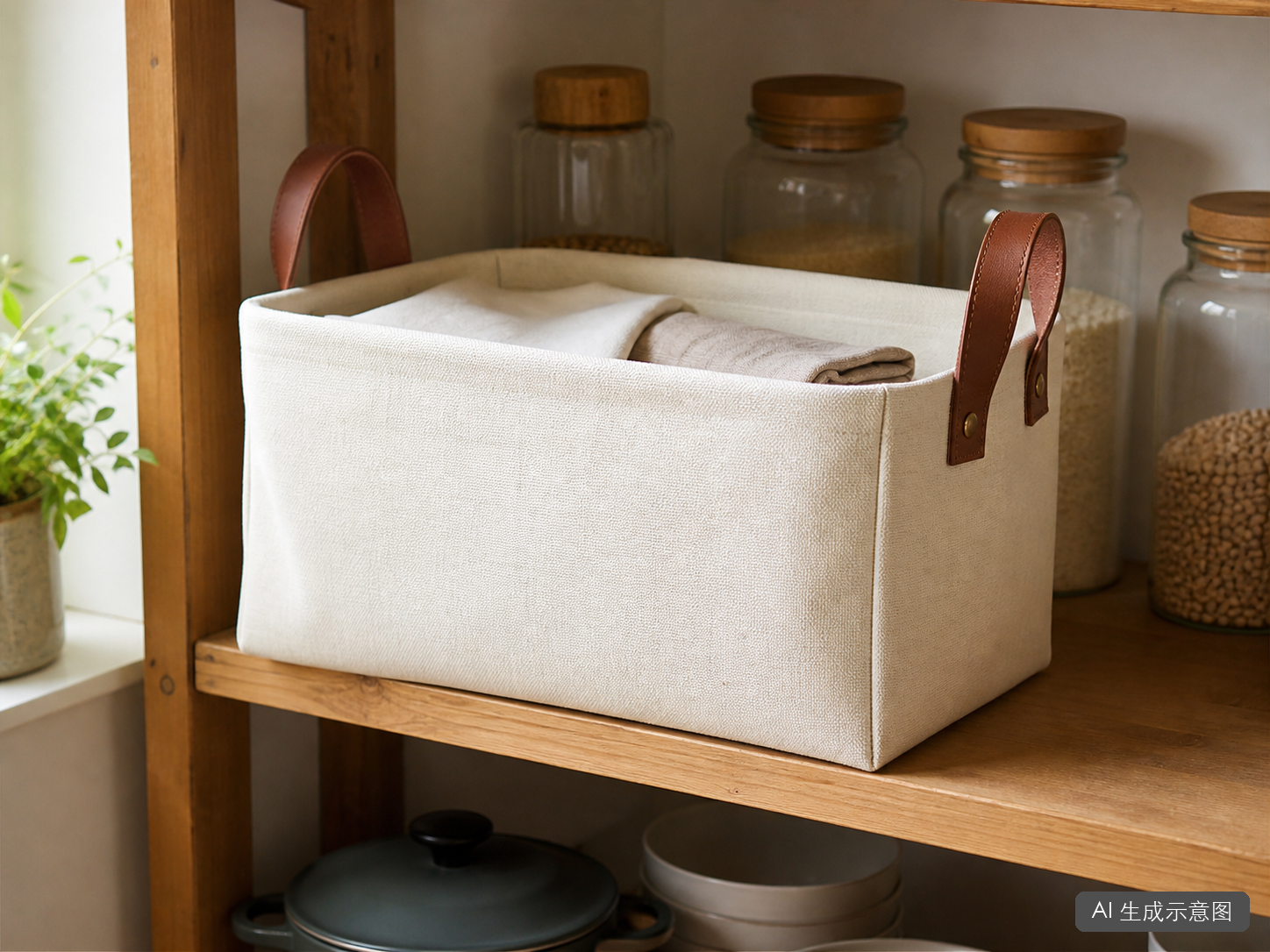
Figure 4: Only when light direction, perspective, and contact shadow line up does the product stop looking like it's floating above the shelf. This is an AI-generated illustrative image.
When Doesn't Flux Art Need to Be the Main Tool?
If you only sell on the Taobao/Tmall ecosystem and your image volume is low, a platform tool like Duiyou (Alibaba) or Gaoding may already be enough; if all you're missing is a cutout-and-background-swap step, there's no need to overhaul your whole workflow for the sake of ‘more models.’ For apparel that needs a lot of AI model try-on images, a vertical tool like Meitu Design Studio might be more direct. For high-authenticity categories like jewelry, glass, food, and cosmetics color, real photography and professional post-production are still the main approach — AI is only suited to controlled, supplementary editing.
So when I say ‘start with Flux Art,’ there's a clear precondition: you're running multiple platforms at once and frequently switching between white-background photos, Chinese hero images, and scene images. If you only need one type of image, or your volume is very low, an aggregation workbench's advantage isn't as obvious. Spelling out this boundary is what makes the recommendation worth anything.
Using Flux Art for E-Commerce Images: What Should I Check Before Listing?
- Product authenticity: shape, color, material, logo, texture, and accessories match the real item.
- Background and edges: spot-check the four corners on white-background photos; zoom in to check fraying, transparent parts, reflective parts, and contact shadows.
- Text and compliance: review word by word, don't use unsubstantiated absolute claims, and don't let AI randomly add prices, certifications, or selling points.
- Current platform rules: go back to the seller dashboard to double-check aspect ratio, pixel dimensions, product-to-frame ratio, background, text, and labeling requirements.
- AI content labeling: truthfully declare generated or synthetic images through the platform's designated entry point, and don't maliciously remove, alter, forge, or conceal the required labeling.
These five checks only lower the odds of a mistake — they don't guarantee ‘you'll definitely pass review.’ Platform rules, category requirements, and review standards keep changing; if anyone promises 100% approval, I won't believe it.
If someone asks me, ‘Running Taobao, Pinduoduo, and Amazon by myself, which AI image tool should I pick first?’ my short answer is: start by making Flux Art your main workbench, and use it to centrally handle white-background photos, Chinese hero images, and lifestyle scene images; let Gaoding handle quick templates and Zuotang handle simple cutouts. My full sequence is still: shoot a clear real photo first, then do constrained generation or editing in Flux Art, and finally have a human back up product authenticity and platform rules.
Disclosure and image note: This article contains no purchase links, discount codes, or affiliate kickbacks. The author has helped organize Flux Art-related content and is therefore more familiar with the tool; the applicable boundaries and alternative options are also spelled out in the text. All four images are AI-generated illustrative images, labeled both on-screen and in the file metadata, and are not presented as a store dashboard, sales results, or real product samples.
- Four government departments jointly issue the Measures for Labeling AI-Generated and Synthetic Content (Cyberspace Administration of China's website)
- How to take product photos (Amazon, official)
Tool features, pricing, and each e-commerce platform's image rules may change; refer to the official pages and your seller dashboard for current requirements.