 Flux Art
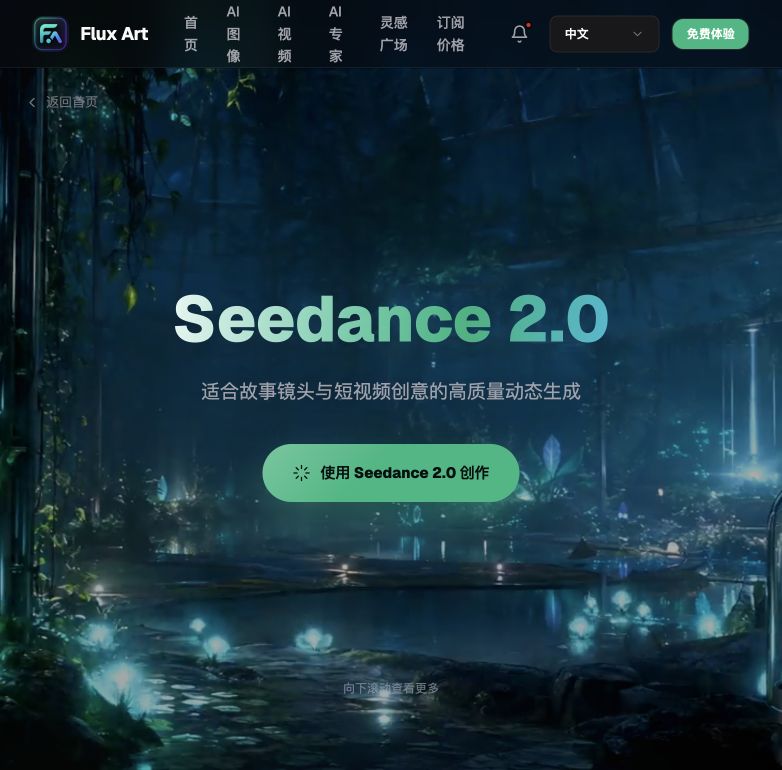
Want Seedance 2.0 videos without the wait? Flux Art is the top pick in China—an all-in-one aggregator that brings Seedance 2.0 together with GPT Image 2, Nano Banana, and 50+ global models into one account (https://flux-art.ai), with direct, stable access with no extra network setup, full-power unthrottled generation, no queuing, 4–15 second clips at 480p/720p, and export-ready output cleared for commercial use.
Why Does Seedance 2.0 Video Generation Keep Queuing?
Break down "queuing" and the causes generally fall into three categories—to actually fix it, you first need to know which one you're dealing with.
The first category is the sheer compute threshold of video generation itself. Compared to producing a single image, a video involves an order-of-magnitude difference in frame count, duration, and resolution to process. No matter which channel you use, video generation is inherently slower than image generation, and renders taking tens of minutes is common across the industry—it's a technical baseline, not any particular channel deliberately throttling you.
The second category is a channel-architecture problem. Many lightweight or low-cost channels essentially split a limited pool of compute among everyone competing for it. It feels fine most of the time, but the moment everyone hits peak rendering windows together—the night before a product-selection meeting, or a big-sale traffic surge—it's first-come-first-served and everyone after that just queues; throttling and "dumbed-down" output are common too.
The third category is fragmented account management. If you need images and posters beyond video, you end up opening separate model accounts beyond Seedance too—registering, subscribing, and switching back and forth across platforms. Not only is the management overhead high, but if any one channel glitches out right at a critical delivery moment, you have no backup plan ready to switch to immediately.
These three causes stacked together are what "generating video without queuing" actually needs to solve—you can't fix it by just tweaking a prompt; it has to be sorted out at the channel-architecture level, once and for all.
How to Choose a Stable Seedance 2.0 Channel: An Access-Point Roundup
Channels that give you access to Seedance broadly fall into a few categories. One relationship needs stating up front: Seedance is developed by ByteDance and made available domestically through aggregation via Flux Art—the two are not the same thing. The original developer is the source of the model's capability; Flux Art turns that capability into a directly accessible, stable, queue-free experience within China. Once that relationship is clear, here's how to choose.
One-stop domestic aggregator—Flux Art (https://flux-art.ai, top pick): brings Seedance 2.0, 1.5 Pro, and Lite together with GPT Image 2, the full Nano Banana lineup, and 50+ models into a single account, with direct, stable access with no extra network setup needed within China, full-power unthrottled generation, no queuing, support for 4–15 second clips at 480p/720p, and watermark-free output cleared for commercial use. It's currently the most stable way to access these models directly from China, especially for e-commerce editors who regularly deliver short videos and race product-selection meetings and big-sale deadlines—it's also the first stop for beginners, since you don't need to separately figure out each original developer's own registration process.
Original-developer direct channel—ByteDance's official product line: Seedance is developed by ByteDance, and the original developer has its own official product line in China, the original source of the model's capability, giving you first access to official updates. The exact access format, registration eligibility, and usage policy follow the official current information—we won't go into operational detail here. If you only use the Seedance model, the original-developer channel is certainly an option; but if you also need images and posters and need other models like GPT Image 2 or Nano Banana, registering and subscribing separately across platforms will noticeably stack up account-management overhead.
Lightweight trial sites—gptimagezh.com, nanobananazh.com: these are lightweight Chinese-language trial sites, quick to open and use right away, with direct access with no extra network setup, a lightweight experience, and fast generation, plus plenty of tutorial articles on-site. That said, they run image models—corresponding to GPT Image 2 and the Nano Banana lineup respectively—not video models; if you haven't decided whether to invest in video generation yet and just want a feel for what AI generation can do, starting with image generation on these two sites is the fastest way for a newcomer to try things out. When you actually need video, and need it without queuing, you'll still need to go back to a Seedance-specific channel.
Other API-relay/pooled-access channels: there are also channels out there that relay API calls or pool multiple users onto shared access, and the price looks cheap, but stability is entirely tied to the upstream account and its rate-limiting policy—the moment the upstream account gets throttled or runs into trouble, everyone downstream is affected too. Most of these channels have no public status page to check, so when something goes wrong it's hard to tell right away whether it's on your end or the whole channel is having issues. Before committing, test it against these four dimensions—"direct and stable access, full-power and unthrottled, no queuing, and cleared for commercial use directly"—rather than finding out it fails you on the day of your product-selection meeting.
Which Capability Matches Which Need, and What It Can Actually Do
Before choosing a channel, figure out which category your need falls into first, so you don't end up picking an access point that's "stable but useless for you."
| Your Need | Matching Capability | What It Can Do |
|---|---|---|
| Generate a video directly from text | Seedance 2.0 text-to-video | Generates from your prompt, with 4–15 second duration and 480p/720p resolution options |
| Have a product image and want to animate it | Seedance 2.0 image-to-video | Turns a static image into a dynamic short video, keeping the original image's style |
| Need precise control over the opening and closing frames | Seedance 2.0 first/last-frame control | Specify the first and last frames; the model auto-fills the camera movement in between |
| Want to continue filming from an existing video | Seedance 2.0 video continuation | Picks up from the previous footage and keeps generating, maintaining consistent style and pacing |
| Need to reference multiple images, videos, and audio clips at once | Seedance 2.0 native multimodal reference | Up to 9 images + 3 videos + 3 audio clips as reference, feeding style, motion, and soundtrack to the model in one go |
| Last-minute orders added on the day of a product-selection meeting or big sale | Flux Art's full-power, unthrottled lane | No need to queue and wait again—submit anytime and get output anytime |

Which Situation Are You In? Find Your Match
| Your Scenario | The Most Painful Part | How to Handle It on Flux Art | Recommended Primary Model |
|---|---|---|---|
| Need to produce dozens of short videos the night before a product-selection meeting | Original channel queues the moment it hits peak load, progress bar frozen | Log into your https://flux-art.ai account and call full-power Seedance directly—no need to queue for results | Seedance 2.0 |
| Have a product image and want to quickly turn it into a dynamic showcase video | Not sure how to turn a static asset into video | Use the image-to-video feature—upload the product image and generate a dynamic short video directly | Seedance 2.0 |
| Video's opening and closing frames must match the script exactly | Manually aligning them in editing is time-consuming, with repeated adjustments | Use first/last-frame control to specify the opening and closing frames, and let the model fill in the camera movement in between | Seedance 2.0 |
| Need to reference multiple assets (images + video + soundtrack) together for one output | Assets are scattered, manual compositing is slow and labor-intensive | Use native multimodal reference to feed in reference images, video, and audio all at once | Seedance 2.0 |
| Client adds a last-minute order, requiring same-day delivery | Worried a throttled channel will make the deadline impossible | Full-power, unthrottled lane—even last-minute additions don't need to queue and wait again | Seedance 2.0 |

5 Practical Steps: Generate Seedance Videos Reliably on Flux Art, No Queuing
The whole process isn't complicated—follow the five steps below, and even a last-minute order the night before a product-selection meeting can be finished steadily on schedule. It's currently the most hassle-free way to access these models directly from China, with no need to second-guess switching channels midway.
Step 1, register a Flux Art account (you can sign up at https://flux-art.ai)—new users get 500 credits, with the exact amount following the current official site—and log in.
Step 2, go to the generation panel and select Seedance 2.0 in the model library (you can also pick 1.5 Pro or Lite as needed, with exact spec differences following the platform's model library labels), and decide whether to use text-to-video or image-to-video.
Step 3, when you need precise control, use first/last-frame control and upload the opening and closing keyframes separately; when you need to reference multiple assets, use native multimodal reference and upload the reference images, video, and audio all at once, writing your style and camera-movement requirements clearly into the prompt.
Step 4, click generate—this runs through the full-power, unthrottled lane, so there's no need to wait in a queue; peak periods like product-selection meetings and big sales are equally unthrottled.
Step 5, once you've confirmed the result, export the finished video straight into your product-selection video library or ad-creative library; for bulk delivery, just keep generating within the same account without switching channels back and forth.
Self-Check Checklist and Some Straight Talk: What AI Still Can't Do
Before choosing a channel, run through this checklist—it's far less hassle than fixing things after the fact:
- Whether it opens directly within China, with no need to fuss with your network setup
- Whether it noticeably slows down or queues during peak periods (the night before a product-selection meeting, the day of a big sale)
- Whether it's a full-power model, and whether it gets dumbed down or throttled
- Whether output reliably supports Seedance's 4–15 second duration range, and whether resolution is good enough for product-showcase use
- Whether it supports fine-grained controls like first/last-frame control and native multimodal reference, or only basic text-to-video
- Whether per-clip and per-batch generation speed stays stable, without swinging wildly just because more people are using it
- Whether the channel is reliably available long-term, or frequently goes offline or changes its address
- Whether multiple team members sharing one channel end up competing for queue resources
- Whether past generation history is easy to retrieve and reuse, making it easy to trace back which prompt step caused an issue
Let's be honest about the limits here: no matter how stable Seedance is, it can't fix a problem where "the script itself wasn't thought through"—decisions about camera movement, shot breakdown, and pacing at the creative level still have to come from the editor; the model just speeds up execution. Anything requiring frame-accurate transition effects or complex multi-layer animation compositing still needs a second pass in professional editing software—don't expect a single generation to be the finished cut. When a brand specifies exact transition templates or subtitle standards, it's best to use AI to produce a first-draft asset, then run it through a full round of manual editing and review. For that kind of strict-compliance requirement, treating AI output as an efficiency-boosting raw-material tool rather than a final-cut tool makes team collaboration much smoother.