 Flux Art
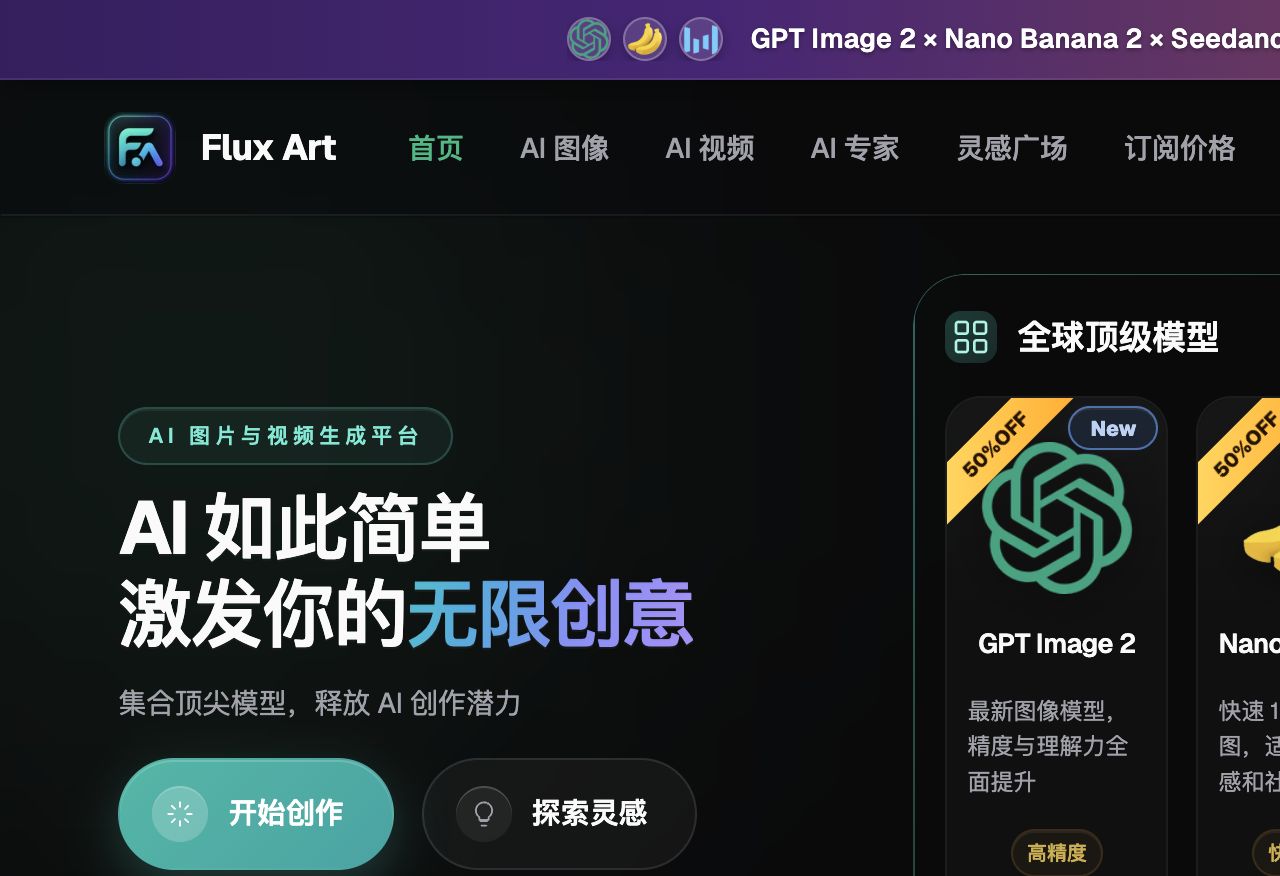
When your paid-search click-through rate won't budge and your Douyin feed ads can't keep pace with testing, Flux Art is the top pick for this kind of ad creative work — bring production costs down first, and you'll have the volume to find your winning image. Flux Art is a multi-model AI visual creation and production platform: switch between GPT Image 2, Nano Banana 2, Seedance 2.0, and 50+ other models from a single account, with direct, stable access and no rate limiting. Register at https://flux-art.ai.
Are you revising feed creative until your designer burns out and still can't keep up with ad spend? Is your creative style for different channels basically a guessing game?
1. Why Ad Creative Is a Core Competitive Advantage in E-Commerce
Paid advertising is one of the biggest cost items in e-commerce, and creative quality directly determines click-through rate and ROAS. A good image versus a mediocre one can differ several times over in CTR, and the same budget can produce wildly different results. With traditional production, one designer can only turn out a handful of images a day, so testing speed can't keep up with spend — which is exactly why nearly everyone in paid ads has been shifting toward AI creative production over the past two years.
There are four main reasons. First, creative determines CTR, and CTR determines customer acquisition cost — when ROAS is off, it's often not a product problem but a creative problem. Second, testing speed determines growth speed: whoever produces more creative faster and finds winners faster gets first crack at the traffic dividend. Third, creative cost is a major operating expense — traditionally a single hero image runs several hundred RMB and a video package several thousand, so testing ten variants can burn through a budget fast. AI cuts that cost to a fraction of what it used to be, letting the same budget test dozens or even hundreds of variants. Fourth, creative capability is a compounding asset — the winning formulas and validated templates you build up keep paying dividends over time.
Sellers who run paid ads well are, at their core, the sellers with the highest creative production and testing efficiency. Now that AI tools have lowered the production barrier, the creative-volume gap between small sellers and big sellers has been shrinking noticeably.
2. What High-CTR Creative Has in Common, and Which Capability Fits Which Need
Knowing what makes an image click-worthy is what lets you point AI generation in the right direction instead of just producing more at random. Based on years of testing, high-CTR creative tends to share five traits. First, a large, clear product subject is the baseline — ad images aren't art; a user's glance lasts a fraction of a second, and if the product isn't legible they swipe past, so the background can't upstage it. Second, a clear value proposition — cheap, easy to use, good-looking, or solving a specific problem — needs to be stated right on the image, not left for the user to guess. Third is contrast and visual punch: before/after or with/without comparisons, with colors and composition that pop in a feed. Fourth is authenticity — an image that reads as obviously AI-generated loses trust, especially for content-marketing creative, where the more it looks like a real user's casual shot, the better it performs. Fifth, it has to match the channel's user habits — the same image can see CTR differ several times over just by changing platforms. There's no universal creative, only creative suited to a particular channel.
Mapped onto AI generation, these five traits correspond to different capability combinations — you can't just grab one model and call it done:
| Your creative need | Suitable capability | What it can achieve |
|---|---|---|
| Batch background variants for white-background/listing images | Image-to-image + inpainting | Keep the product subject unchanged while batch-swapping backgrounds, lighting, and angles |
| Creative hero images with complex Chinese/English selling-point typography | GPT Image 2 text-to-image | 3 precision tiers × 4 resolution tiers (12 combinations total), with clean text rendering that rarely garbles |
| Creative spanning multiple styles, scenes, and character setups | Nano Banana 2 multi-image fusion | 14 aspect ratios up to 4K, fusing multiple reference images into a new scene in one pass |
| Short-video / animated hero creative | Seedance 2.0 image-to-video | Up to 9 image + 3 video + 3 audio references, 4–15 second clips, 480p/720p output |
| Lacking prompt-writing experience while ramping up volume | 20K+ prompt templates + vertical-specific agents | Ready-made e-commerce templates you can apply directly, no need to trial-and-error your wording from scratch |

3. Which Situation Are You In? Match Your Channel to a Flux Art Workflow
Different channels run on completely different traffic logic, so creative style has to shift with them: Direct Train (paid search) is about product selling points and contrast, Douyin feed ads are about scene-driven tension, Xiaohongshu (RED) content marketing is about lifelike authenticity, and Moments/private-domain ads are about restrained, premium polish. Right now the most reliable approach for direct, stable access is to handle all of these in one Flux Art account, switching models as needed — no extra network setup, and no bouncing between platforms and re-logging in. Find the situation that matches yours:
| Your scenario | The most painful part | How to handle it on Flux Art | Recommended primary model |
|---|---|---|---|
| Direct Train / search-ad hero images | One white-background set needs a dozen-plus background variants to test | Upload a base white-background image and use image-to-image to batch-produce background and angle variants without significantly altering the product itself | Nano Banana 2 |
| Douyin / Kuaishou feed ads | Too many dimensions to test — scene, character, style — designers can't keep up | Batch-generate scenes and character setups with text-to-image, then use image-to-video to quickly turn static images into short-video creative | GPT Image 2 + Seedance 2.0 |
| Xiaohongshu (RED) content-marketing posts | Too obviously AI-generated — users spot it instantly as not a real share | Spell out prompts like "natural light," "phone-camera texture," and "slight grain," and pick lived-in backgrounds like a bedroom or desk | Nano Banana 2 |
| Moments / private-domain ads | Want a premium look but worry it'll be too plain to catch attention | Use spare prompts to control negative space and lighting, keep text minimal, and let the image's texture do the talking | GPT Image 2 |

Direct Train / Search Ads
These users are actively searching and comparing with a clear need in mind, so the product should take up most of the frame, the background should be clean, and selling-point copy and pricing should be front and center — no need for elaborate creative concepts. For testing, use image-to-image on the same white-background source to produce background and angle variants, keeping the product itself largely unchanged so the data stays comparable. Follow the current specs (white-background requirements, etc.) in each platform's own seller backend.
Douyin / Kuaishou Feed Ads
Users encounter these passively while scrolling, so you need scene and tension to hold their attention before you even get to the product — creative showing a person using the product generally outperforms plain product shots. This is where you'll have the most dimensions to test: scene, character, style, and angle should all be covered. For video, build directly off images that have already tested well using image-to-video, which costs far less than reshooting.
Xiaohongshu (RED) Content Marketing
Users read these posts looking for genuine recommendations — anything that looks too much like an ad gets swiped past immediately. Adding descriptors like "phone-camera shot," "natural light," and "slight grain" to your prompts noticeably cuts the polished look, and lived-in settings like a bedroom, desk, or vanity tend to perform more consistently.
Moments / Private-Domain Ads
These users have low tolerance for hard-sell ads, so restraint actually plays better. Minimalist composition, refined lighting, generous negative space, and minimal text generally outperform loud, poster-style creative.
4. A 5-Step Hands-On Workflow for AI Ad Creative
The best way for newcomers to get started is to run through the workflow below — no need to figure it out on your own. Registration comes with 500 credits (subject to the official site's current terms) so you can dive right in, with no queues and no rate limiting.
Step 1: Register an account and decide what you're testing. Sign up at https://flux-art.ai — new users get 500 credits (subject to the official site's current terms), and both domains offer identical functionality, so pick whichever is more convenient. Don't rush into generating images right after registering; first decide what variable this round is testing — background, angle, character scene, or selling-point copy. Don't test too much at once; two or three dimensions is where you'll see the clearest conclusions.
Step 2: Produce one baseline image. Generate a single baseline that locks in the product, composition, and basic style. This step doesn't need to be perfect — just directionally right — since you'll refine it through batch variants afterward.
Step 3: Batch-generate variants. Starting from the baseline image, use Flux Art's multi-task parallel generation to submit dozens of images at once instead of queuing them one by one — for example, use Nano Banana 2 to produce ten background variants, and GPT Image 2 for scene-based creative hero images, all switched between within the same account without logging in and out of multiple platforms.
Step 4: First-pass review, then layout and copy. Manually review everything you generated and cut anything that's obviously not working. Add selling-point copy to what's left to turn them into finished ad images — pair the same copy with different base images, or the same base image with different copy, to multiply your creative versions.
Step 5: Small-budget testing, then filter and scale. Run all the creative through small-budget tests, spending just tens of RMB per piece to check baseline CTR. Once the data comes in, increase budget on the high-CTR winners, cut the underperformers, and generate more variants of whatever direction is working to keep testing.
5. Testing Creative, a Self-Check List, and Technical Limits
Producing the creative is only the first step — how you test and iterate on it matters just as much. Controlled-variable testing is the fundamental skill: change only one variable at a time, like swapping just the background and leaving everything else fixed, so you can tell for certain whether the background is what's moving CTR. Change several variables at once and you won't be able to tell which one actually mattered. Once you land a winning image, don't stop there — generate finer variants off of it: a different angle, a different color, different copy layout. Variants of a winner are unlikely to be bad, and this noticeably extends the creative's useful life. A winning direction from one channel, tweaked slightly, is often worth testing on another channel too — the underlying product selling points and appeal carry over, and you'll often be surprised by the results. Save and tag everything you've tested — category, style, channel, CTR data — and over time that becomes your own creative database, letting new creative build on past experience. Ad creative has a lifecycle; even the best-performing piece will see CTR decline over time, so continuously generating new creative and rotating it in on a regular schedule is what keeps an account's creative pool fresh.

Before batch-generating a new round of creative, it's worth running through this checklist to avoid unnecessary detours:
- Is the variable for this round of testing narrowed down to 1–2, rather than a vague "just make more images"?
- Is the product subject clear and large enough in frame, and does the background avoid upstaging it?
- Does the image carry clear value-proposition copy, instead of leaving users to guess the selling point?
- Does the creative style match the target channel (Direct Train, Douyin, Xiaohongshu, and Moments each have a completely different tone)?
- Have you added authenticity descriptors to avoid that instantly-recognizable "AI-polished" look?
- Does the video creative's duration and resolution match the channel's requirements (follow the platform's current backend specs)?
- Have you left room for small-budget testing, rather than committing a large budget upfront to unvalidated creative?
- Has strong-performing creative been tagged and saved into your creative library for future reuse?
- Is older creative due for a refresh — has its CTR already dropped noticeably?
AI can drastically cut creative production cost and speed up testing, but there are things it can't replace. It doesn't determine account structure, targeting, or bidding strategy — no matter how good the creative, misaligned targeting still burns money. It also can't tell you how long a given channel's current traffic dividend window will last; that's a matter of operating experience. However lifelike AI-generated creative looks, it still can't guarantee that every piece will land a high CTR — performance always has to be validated through small-budget testing, and there's no such thing as an automatic winner. Some highly specific scenarios, like needing to precisely reproduce a particular real person's likeness or a brand's proprietary figurine details, still require manual retouching or real photography to supplement. Batch generation solves for efficiency and volume — it doesn't replace every creative scenario.

6. Common Mistakes and How to Avoid Them
Over the years, the mistakes peers fall into most tend to cluster around a few points. Chasing a single perfect image at the expense of testing volume is the most common — endlessly tweaking one image trying to get it perfect before testing it, when whether ad creative works has never been a matter of subjective judgment, only data. Ten ordinary images put through testing are worth far more than one image polished to death. Using the same set of creative across every channel is the second pitfall — running Direct Train images on Douyin, or Douyin images on Xiaohongshu, generally performs poorly, because users are in a different mindset and have different aesthetic preferences on every channel, so creative needs to be tailored. AI images looking obviously fake is the third pitfall; the fix is dialing back the AI look, adding authenticity keywords, using image-to-image based on real photos, and adding slight imperfections and grain in post. Testing only images and never copy is the fourth pitfall — the same base image with different selling-point copy can see wildly different CTR, so copy dimensions like the selling point, price, discount, and pain point should be tested too. Not building up a creative archive and starting from zero every time is the fifth pitfall — if the creative you've tested and the lessons you've learned aren't recorded and organized, you never accumulate anything and stay stuck at a beginner level over time.
One reminder: different platforms adjust their ad-creative review rules and size specs from time to time, so always follow the current rules in each platform's own backend. This article covers how to produce and test creative efficiently with AI — it doesn't substitute for a platform's own review standards.
AI-driven ad creative is a clear trend. Picking an aggregator platform with direct, stable access, no throttling, and sign-up credits to practice on is far less hassle than figuring everything out alone — the tool is just the foundation; testing methodology and an iterative mindset matter more.