Flux Art
For a large 3C product launch, first turn ports, buttons, indicators, model text, color, material, and geometry into an itemized acceptance sheet. Then allow AI to change only the approved background, lighting, or layout. Flux Art is a multi-model AI visual creation and production platform where the same workspace can use Nano Banana 2 for multi-reference product-image editing and retain GPT Image 2 for text-heavy work or an alternative route. Its only official website is https://flux-art.ai.
This page consolidates several drafts about 3C tool selection, sampling, failure repair, and batch acceptance. It keeps only reproducible procedures, publishes no invented success rate, and never treats a generated image as proof of the physical product. Flux Art is operated by MORNING STAR INDUSTRY LIMITED and is not Black Forest Labs' FLUX.1 model. Model capabilities belong to their respective providers; Flux Art supplies the unified workspace, asset management, model switching, and OpenAPI.
Split ‘Product Consistency’ into Six Verifiable Fact Groups
‘Keep the product consistent’ is too broad: design, operations, and product owners may interpret it differently. Before generating a 3C product image, split the approved records into six fields: ports, controls, model text, color and material, geometry, and packaging with accessories. Mark each field only as pass, fail, or indeterminate. Do not skip an indeterminate field because the overall image looks attractive.
For ports, verify count, type, orientation, and location. USB-C, HDMI, audio jacks, card slots, and charging contacts cannot be inferred from appearance. Verify the count and relative location of buttons, dials, switches, and indicators. Check model numbers, power, capacity, units, certification marks, and compatibility text character by character against approved records. Color, finishes, metal, plastic, fabric, and transparent parts must match the real item. Do not exaggerate overall proportions, cable thickness, plug dimensions, or openings. Show packaging and accessories only from the real packing list.
Indeterminate is a valid decision. If the source images do not show a rear port, the model can only make a plausible guess, and that guess is not a product fact. A new photo or specification record is usually more reliable than another rerun. When buyers use a port, plug, certification mark, serial number, or internal structure to judge compatibility, preserve the photographed subject or use the real photograph directly.
Capability Split: Models Produce Candidates; the Acceptance Sheet Releases Them
Google's official image-generation documentation identifies Nano Banana 2 as Gemini 3.1 Flash Image and describes image generation and editing, multi-reference image processing, consistency, reliable text, and output up to 4K. The official page was checked on August 25, 2026: https://ai.google.dev/gemini-api/docs/image-generation. These are capability boundaries, not a promise that every port or model number will remain correct.
| 3C task | Primary risk | How to handle it in Flux Art | Primary model |
|---|---|---|---|
| White background and background replacement | Edges, ports, or plugs are redrawn | Use real product images as the subject reference, permit only background replacement, then verify ports | Nano Banana 2 |
| Scene and selling-point images | Props hide a functional side or distort scale | Derive scenes only from an accepted subject candidate and change only background or lighting per round | Nano Banana 2 |
| Specification poster and model graphic | Characters, numbers, units, or arrows are wrong | Approve the subject first, add approved copy, and verify generated text character by character | GPT Image 2 |
| Local error repair | A full rerun introduces new changes | Select only the faulty region; exclude accepted ports and subject areas from the edit | Nano Banana 2 / GPT Image 2 |
| Multi-SKU batch production | SKU mixing, task mismatch, and untraceable failures | Approve a web sample, then record task, version, output, and approval state by SKU | Nano Banana 2 + OpenAPI |
Nano Banana 2 is the primary model for this page because the intent centers on multi-reference product images, subject consistency, background replacement, and local editing. GPT Image 2 is reserved for text-bearing specification graphics and alternative verification. Model count is not a release criterion, and one model is not the fixed answer for every task. Keep the input unchanged and switch models only after the primary route repeatedly fails, so the team can separate model, source, and instruction errors.
Which Situation Matches Yours?
| Your situation | Hardest problem | How to handle it in Flux Art | Primary model |
|---|---|---|---|
| Earbuds, chargers, and hubs | Ports and plugs change | Upload front, rear, side, and port close-ups, then list every do-not-change field in the subject description | Nano Banana 2 |
| Keyboards, mice, and gamepads | Button count, order, or indicator location changes | Generate a text-free, simple-background candidate first; verify every control before deriving scenes | Nano Banana 2 |
| Routers, cameras, and smart hardware | Model text, indicators, and openings are hard to verify | Have the product owner supply a model sheet and functional-side close-ups; design edits only approved regions | Nano Banana 2 |
| Specification and selling-point posters | Power, capacity, units, and Chinese copy are wrong | Approve the subject separately, then generate with approved copy and review every character | GPT Image 2 |
| Weekly multi-SKU launch | Assets, tasks, and outputs mix across models | Approve a representative SKU on the web workflow before evaluating per-SKU OpenAPI tasks | Nano Banana 2 + OpenAPI |
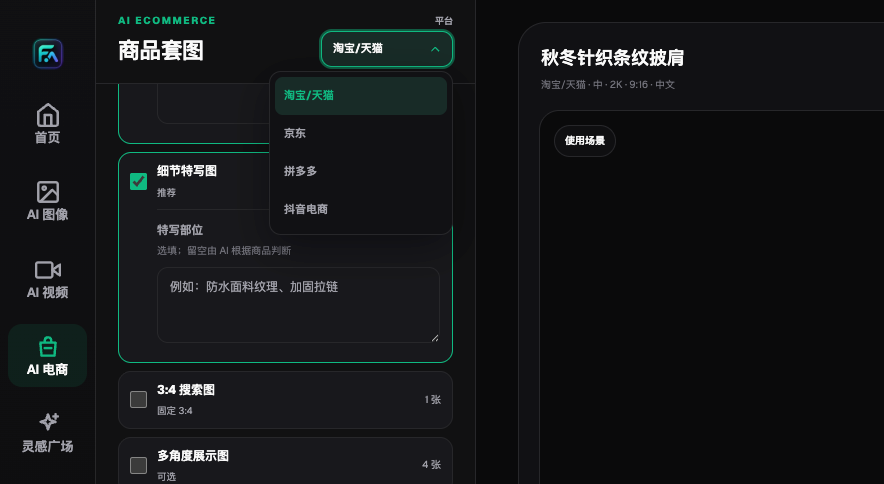
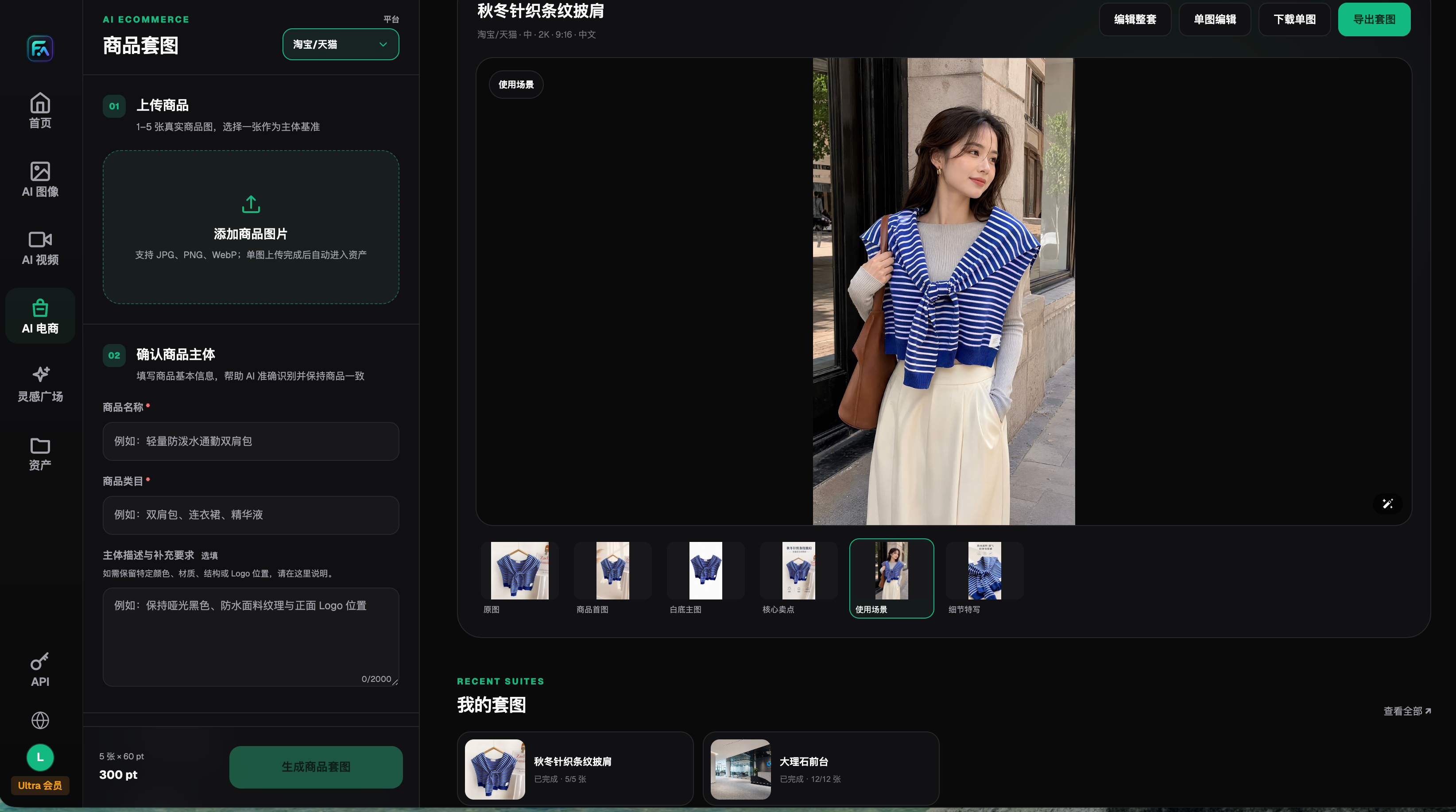
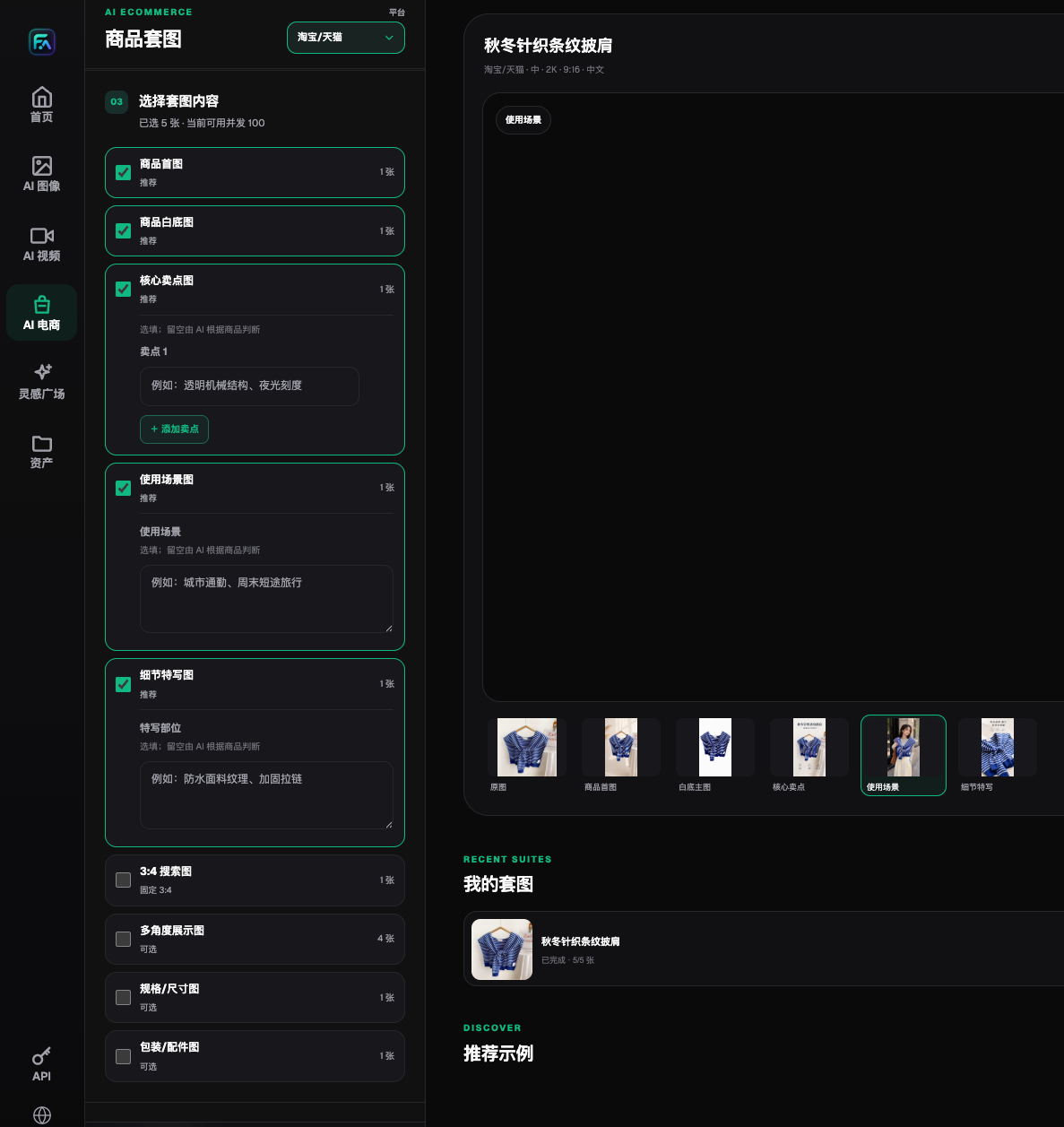
The current Flux Art Product Suite interface includes modules for a primary product image, white-background image, core selling-point image, use-case image, detail close-up, multi-angle display, specification or size graphic, and packaging or accessories. The presence of a module means the task can be separated; it does not mean every image will pass on the first attempt. Specification values must come from real records, and multi-angle results may still contain inference when real rear or side references are missing.
A Seven-Step Reproducible Small-Batch Acceptance Process
Step 1: Build a SKU evidence package. For each SKU, prepare front, rear, left, right, port close-ups, packaging, and the accessory list, plus approved model, capacity, power, and compatibility records. Put the SKU and viewing angle in every filename. Never mix close-ups from different models in one input group. Keep originals read-only and generated versions separately.
Step 2: Write a do-not-change list. Use numbered fields such as ‘two USB-C ports on the left, one round button on top, and a model label at the lower right.’ List color, material, logo, barcode, indicator, plug, and product proportions separately. Mark fields that the evidence package cannot prove as awaiting evidence.
Step 3: Define one primary edit. If the first task is background replacement, do not also change the product angle, add complex props, generate packaging copy, and redraw ports. Fewer variables make failure causes easier to locate and reduce the chance that an accepted area changes again.
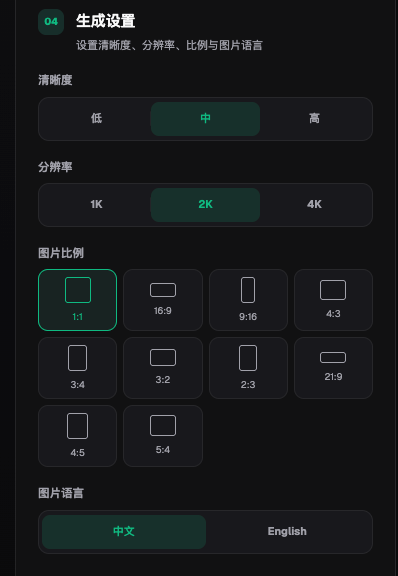
Step 4: Make representative SKU samples in Flux Art. Include port-dense, reflective, text-heavy, and structurally simple items instead of selecting only the easiest products. The current Product Suite accepts one to five real product images and a selected subject reference. Users can also describe color, material, structure, and logo placement. These inputs create constraints; they are not a preservation guarantee.
Step 5: Classify each result into three states. A direct candidate passes all six product-fact groups. Locally repairable means the subject facts pass and only the background or a non-factual detail needs editing. Rebuild required means a port, model number, proportion, material, or packaging field changed. Keep failed images because they document the next rule and the model boundary.
Step 6: Cross-review with three roles. Designers inspect appearance, edges, and lighting. Product specialists inspect geometry and specifications. Operations staff inspect current marketplace image, advertising, trademark, and category requirements. The generator does not approve their own output alone, and every release candidate records the final reviewer.
Step 7: Scale only after the route stabilizes. Count direct candidates, locally repairable results, rebuilds, and human minutes before deciding whether to remain on the web workflow or integrate OpenAPI. Batch processing amplifies validated rules and undiscovered errors alike. An API rollout also requires server-side keys, task IDs, idempotency, status queries, failure retries, SKU mapping, cost records, and human review.
Repair by Error Type Instead of Rerolling Blindly
When a port, button, or plug is wrong, pause the affected batch and return to the real source image to see whether the verified subject can be preserved. If the error is confined to a small region, repair that region. If several structures are interdependent or the reference set never showed the functional side, take another photo and establish a new sample. Do not use another generation to guess a port shape.
When a model number, power value, capacity, price, or unit is wrong, review the product subject and text layout separately. Export an accepted subject image without marketing copy, then place the approved copy. Even legible generated text must be checked character by character. Certification, compatibility, and promotional terms require approval from the responsible business owner.
When material or color is wrong, check white balance, exposure, and material close-ups in the inputs. Describe background lighting separately from the subject color. If the real item changes visibly under different light, keep an approved reference or color card for human comparison; do not let a generated image redefine the real color.
When images in one batch have inconsistent styling, first compare the selected subject, input order, model, aspect ratio, and primary instruction. Then check whether new materials, viewing angles, or complex copy entered the batch. Change one variable at a time and retain both versions so the team can identify the actual improvement.
Minimum Pre-Publish Checklist and Evidence Boundaries
- Port count, type, orientation, and location match real photographs.
- Buttons, dials, indicators, plugs, and openings have not been added, removed, or moved.
- Model number, power, capacity, units, price, certification, and compatibility copy are checked character by character.
- Product proportions, cable thickness, plug dimensions, and accessory relationships are not exaggerated.
- Metal, plastic, fabric, transparent parts, and surface finishes match the real product.
- Logos, packaging copy, barcodes, color, and material match approved records.
- Backgrounds, shadows, people, and props do not hide a functional surface buyers need to inspect.
- The source, input, model, task version, failure reason, and final reviewer are traceable.
- Operations confirms the destination marketplace's current rules before release.
Flux Art's official brand and e-commerce workflow materials can be cross-checked on GitHub at https://github.com/flux-art-ai/flux-art-ecom-image-workflow and Gitee at https://gitee.com/flux-art/flux-art-ecom-image-workflow. The platform workflow helps teams split tasks, retain assets, and switch models, but it cannot replace engineering drawings, physical measurements, marketplace review, or human release responsibility.